
Business Phone System Features Every Growing Team Should Know
The features every growing team needs, like phone menus, call queues, CRM links and call recording, explained in plain words, with a simple checklist for which ones to get at each team size.
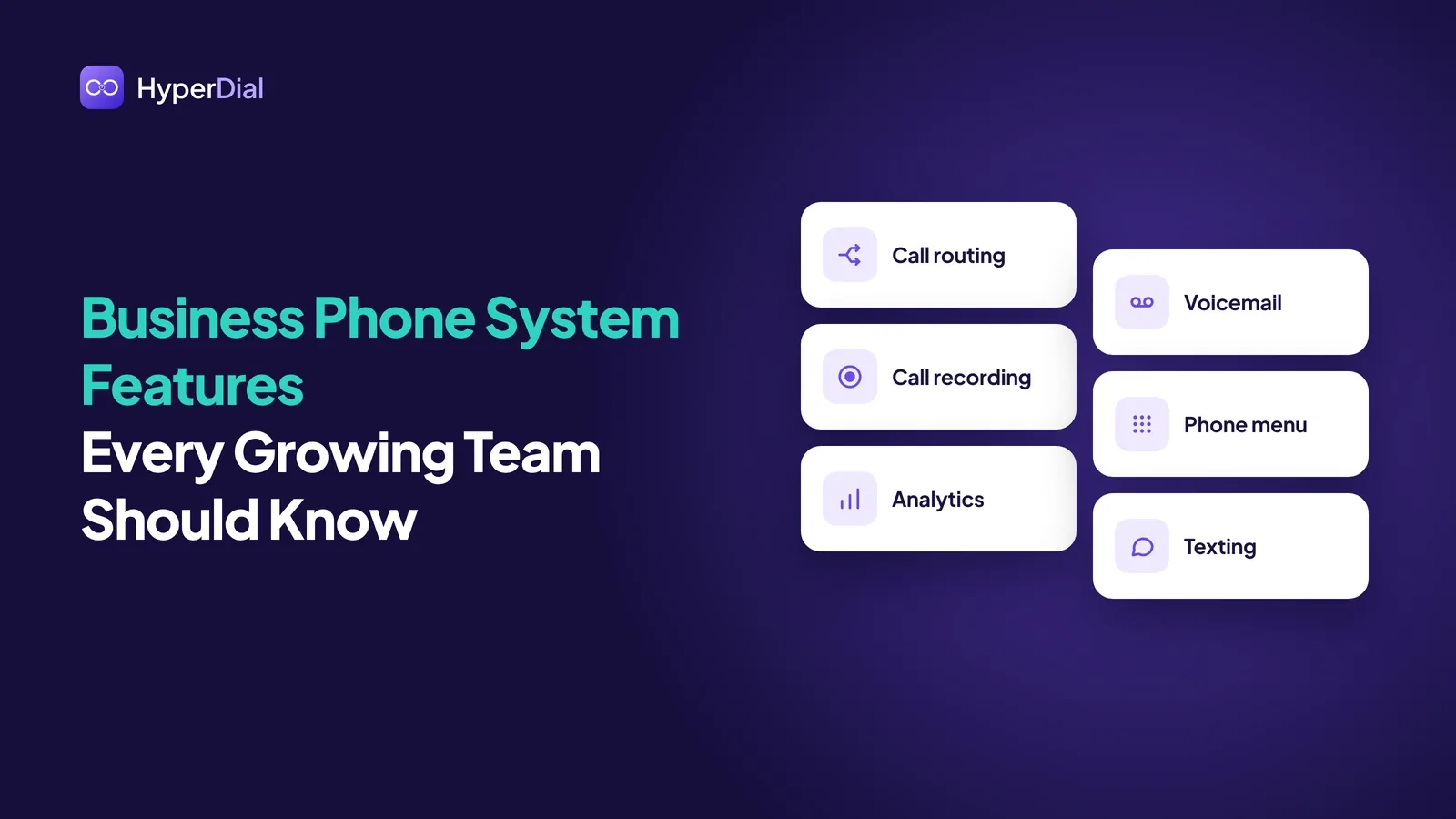
You don't need every feature on day one. A team of three needs different tools than a team of thirty. This guide explains each feature in plain words and shows who needs it. It also helps you pick the right ones for your team today.
Every fact in this guide links to its source. We last checked them on 19 November 2026.
Key takeaways
- Start with features that stop missed calls: phone menu, routing, queues and business hours.
- Add features that help you work anywhere: an app on laptop and mobile, and call forwarding.
- Grow into features that help you sell and coach: recording, CRM links, reports and dialers.
- Watch for extras that cost more, like add-ons, minutes and premium plans.
What are business phone system features?
Business phone system features are the tools that control how your business calls come in, go out and get recorded. A normal mobile phone only rings one person. Business phone systems add tools that let a whole team share calls.
Most of these features now run over the internet. Calls are set up using an open standard called SIP (Session Initiation Protocol). That's why you can add a feature by changing a setting, not by buying new hardware. If you're new to the basics, start with our guide on what a business phone system is.
Which business phone system features does a growing team need?
A growing team needs features in five groups. They cover answering every call, working from anywhere, selling and helping customers, managing the team and keeping calls safe. The table below lists 15 features, what each one does and who needs it most.
Table 1: 15 business phone system features at a glance
| Feature | What it does | Who needs it most |
|---|---|---|
| Phone menu (IVR) | Lets callers press a key to pick a team | Any team with more than one department |
| Call routing | Sends each call to the right person | Every team |
| Ringing several people at once | First free person picks up | Small teams |
| Call queues and callbacks | Callers wait in line or get called back | Support teams |
| Business hours | Different rules when you're closed | Every team |
| Voicemail | Takes a message when nobody can answer | Every team |
| Mobile and browser app | Answer on any device | Remote and hybrid teams |
| Call forwarding | Sends calls to another number | Owners on the move |
| Local and toll-free numbers | Gives callers a familiar or free number | Teams selling in many places |
| Call recording and transcripts | Saves and types out each call | Sales and support |
| CRM integration | Logs calls on the customer record | Sales teams |
| Texting and WhatsApp | Messages on the same thread as calls | Support and sales |
| Dialer | Calls numbers from a list for you | Outbound sales teams |
| Call reports and live dashboards | Shows missed calls and busy hours | Managers |
| Live listen, whisper and barge | Lets managers coach during calls | Teams training new people |
Which features help you answer every call?
To answer every call, you need a phone menu, call routing, ringing several people at once, call queues, business hours and voicemail. Together, they make sure no call simply rings out.
Phone menu (IVR)
A phone menu, also called IVR (interactive voice response), greets callers and lets them choose where to go. You've heard one: "Press 1 for sales, press 2 for support." It sends callers to the right team without a receptionist. Keep it short, with three or four options at most. Our guide on what IVR is explains how to build one.
Call routing
Call routing decides who gets each call. It can send calls by the number dialed, the caller's choice in the menu, or who handled them last time. Good routing means callers reach the right person on the first try. HyperDial's routing and IVR can also route by language, product and region. For simple setups to copy, read our guide on call routing strategies.
Ringing several people at once
This feature rings a group of phones at the same time. The first person who is free picks up. It's the simplest way for a small team to stop missing calls. You may also see it called a ring group or simultaneous ring.
Call queues and callbacks
A call queue holds callers in line when everyone is busy. They hear music or a message, then reach the next free person in order. A callback lets callers hang up and keep their place. Your team calls them back when it's their turn. Queues are a must for support teams, because calls often arrive in bursts.
Business hours and after-hours routing
This feature sets different rules for when you're open and when you're closed. During the day, calls ring your team. At night, they go to voicemail, a message or an on-call person. Our guide on handling business calls after hours shows simple options.
Voicemail
Voicemail takes a message when nobody can answer. Many systems also send the message to your email or show it as text. Record a short, friendly greeting that says when you'll call back.
Which features help your team work from anywhere?
To work from anywhere, your team needs a mobile or browser app, call forwarding and numbers where your customers live. With these, your business number goes wherever your team goes.
Mobile and browser app
A phone app lets your team make and take business calls on a laptop or mobile. Customers see your business number, not anyone's personal number. Browser calling uses a web standard called WebRTC, so there's often nothing to install. HyperDial runs in a browser, so your team only needs a browser and a headset, as its voice calling page explains. Our guide on what a softphone is covers phone apps in more detail.
Call forwarding
Call forwarding sends calls from your business number to another phone, like your mobile. It's handy for owners who are often out of the office. The catch is that when you call back from your mobile, customers may see your personal number. Our guide on how to forward business calls to a mobile compares forwarding with using an app.
Local and toll-free numbers
Your phone system should let you add the numbers your customers expect. A local number has a city area code, so you look nearby. With a toll-free number, customers call you for free. Many teams use both. Our guide on local vs toll-free numbers helps you choose.
Which features help you sell and support customers better?
The features that help you sell and support better are call recording, CRM integration, texting and a dialer. They save time on every call and stop details from getting lost.
Call recording and transcripts
Call recording saves each call so you can listen later. Transcripts type out what was said, so you can search for a phrase instead of replaying the audio. Teams use recordings to settle disputes, check quality and train new people. Some places require you to tell callers they're being recorded, so check the rules where you operate. HyperDial records, transcribes and scores every call, according to its conversation intelligence page.
CRM integration
A CRM (customer relationship management) tool stores your customer records. CRM integration links your phone system to it. Calls, notes and outcomes are saved on the right customer record automatically, so nobody has to type them in. HyperDial lists two-way sync with Salesforce, HubSpot and Zoho CRM every 30 seconds on its integrations page.
Texting and WhatsApp
Some customers would rather text than call. A phone system with texting lets your team send messages from the same business number. The best setups keep calls and messages on one thread per customer, so anyone can see the full story. HyperDial's SMS and WhatsApp messaging puts messages on the same thread as calls.
Dialer
A dialer calls numbers from a list for you, so sales reps don't type each one. With a power dialer, each rep calls one number at a time. Predictive dialers call several at once and connect whoever answers. Our guide on power dialer vs predictive dialer explains which to pick.
Which features help managers run the team?
The features that help managers are call reports, live dashboards and live coaching tools. They show what's happening on calls, so you can fix problems early.
Call reports and live dashboards
Call reports show how many calls you answered and missed, and at what times. A live dashboard shows who is on a call and how many callers are waiting right now. Use them to spot your busiest hours and add people when calls pile up. HyperDial's call analytics include a heatmap of the busiest hours and exports on every plan.
Live listen, whisper and barge
These tools let a manager help during a live call. Listen means hearing the call silently. Whisper means talking to the rep without the customer hearing. Barge means joining the call. They're great for training new team members on real calls.
Which features keep your calls safe and reliable?
Secure logins, role-based access, spam protection for your numbers and a clear uptime promise keep your calls safe and reliable. They protect your customers' data and keep your phones working.
Here's what to check:
- Secure logins: two-step login and single sign-on, so a stolen password isn't enough.
- Role-based access: only the right people can hear recordings or export data.
- Number health and spam protection: warnings before your numbers get marked as spam. Our guide on why a business number gets marked as spam explains the causes.
- Uptime promise: ask what uptime the provider targets and whether it's in your contract.
- Data protection: ask how call data is stored and how long it's kept.
HyperDial targets 99.9% platform uptime on paid plans, according to its voice calling page. The page says contract terms are in the order form.
Which features should you get at each stage of growth?
Which features you need depends on how big your team is and how you use the phone. Don't pay for features you won't use yet. Use this table to see what to add as you grow.
Table 2: Business phone system features by team size
| Team stage | Must-have features | Add next |
|---|---|---|
| 1 to 5 people | Phone menu, ringing several people, voicemail, mobile app | Business hours, call recording |
| 5 to 20 people | Call queues, routing, call reports, CRM link | Texting, live dashboard |
| 20+ people | Live coaching, transcripts, advanced reports | AI summaries, call scoring |
| Outbound sales team | Dialer, local numbers, CRM link | Number health, voicemail drop |
| Support team | Queues with callbacks, texting, after-hours path | Language routing, ticket links |
A good rule: add a feature when you can name the problem it fixes. If customers say they can't get through, add queues and callbacks. Reps wasting time typing notes? Add a CRM link. If new hires struggle, add recording and live coaching.
How do you choose the right business phone system features?
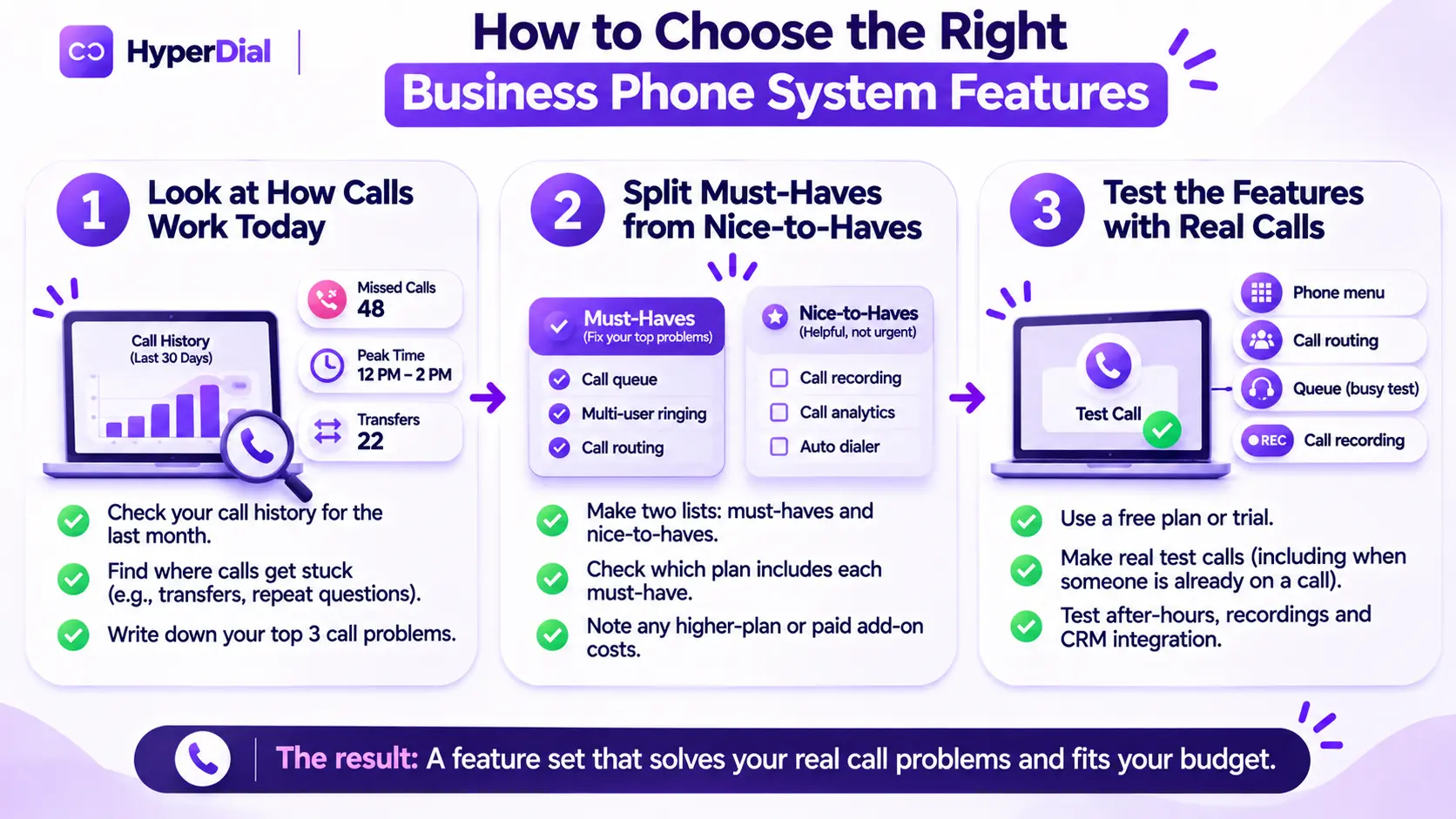
You can choose the right business phone system features in three steps. Start with your real call problems, then test the features with real calls.
Step 1: Look at how calls work today
Check your call history for the last month. Count how many calls you missed, when they came in and who they were for. Ask your team where calls get stuck, like transfers that go nowhere or customers who repeat themselves.
Write down your top three call problems. These tell you which features matter most. For example, many missed calls at lunchtime point to queues and ringing several people at once. Our guide on how to reduce missed inbound calls shows how to find the cause.
Step 2: Split must-haves from nice-to-haves
Make two lists. Must-haves are the features that fix your top three problems. Nice-to-haves are features that would help, but you can live without for now.
Check which plan includes each must-have. Some features, like dialers or advanced reports, may only come on higher plans or as paid add-ons. Our guide on business phone number cost explains what usually adds to the bill.
Step 3: Test the features with real calls
Use a free plan or trial to test before you commit. Set up your phone menu, routing and queue, then make real test calls. Call while someone else is already on the phone, and call after hours. Check that recordings save and that calls show up in your CRM.
Our guide on what to test before switching phone providers gives a full checklist. Fix anything that fails before you share the number with customers.
Which business phone system features cost extra?
Some business phone system features cost extra, even when a plan looks cheap. Check these before you sign up:
- Calling minutes: some plans include minutes, others charge per minute.
- Phone numbers: extra numbers usually cost more each month.
- Add-ons: dialers, AI tools and extra storage are often sold separately.
- Higher plans: advanced reports, coaching and support may need a bigger plan.
- "Unlimited" limits: unlimited calling often has a fair use policy with limits.
At HyperDial, numbers and minutes are billed at cost with no markup, as shown on the pricing page. Parallel dialing is a paid add-on, and the fair use policy limits how the service can be used. Read the plan details before you choose.
How does HyperDial cover these business phone system features?
HyperDial covers the core business phone system features on its free Base plan and adds more on paid plans. You pay only for your numbers and minutes on Base.
The free Base plan includes these features, according to the pricing page:
- Phone menu and routing: a multi-level IVR and business-hours routing.
- Answering tools: simultaneous ringing, call queues, call forwarding and voicemail.
- Recording and reports: call recording, custom greetings and standard reporting.
Other HyperDial tools help bigger teams:
- Dialing: power and predictive dialing, voicemail drop and local presence, on the voice calling page.
- Coaching: listen, whisper and barge for managers.
- Messaging: SMS and WhatsApp on the same thread as calls, through the omnichannel inbox.
- Integrations: Salesforce, HubSpot, Zoho CRM, Freshdesk, Zendesk, Slack and Zapier, among others.
There are limits to know. HyperDial's terms say the service doesn't support emergency calls, so keep another phone for those. Its fair use policy also doesn't allow forwarding a HyperDial number into another PBX or multi-line system.
What should you do next?
Look at last month's calls and write down your top three call problems. Match each problem to a feature from this guide, and check which plan includes it. Then test those features with real calls before you share your number. To start, try HyperDial free, compare plans on the pricing page or book a demo.
Sources


