
What is a Multi-Line Phone System?
A multi-line phone system lets your whole team take and make several calls at once on one business number, so no customer ever hears a busy tone.
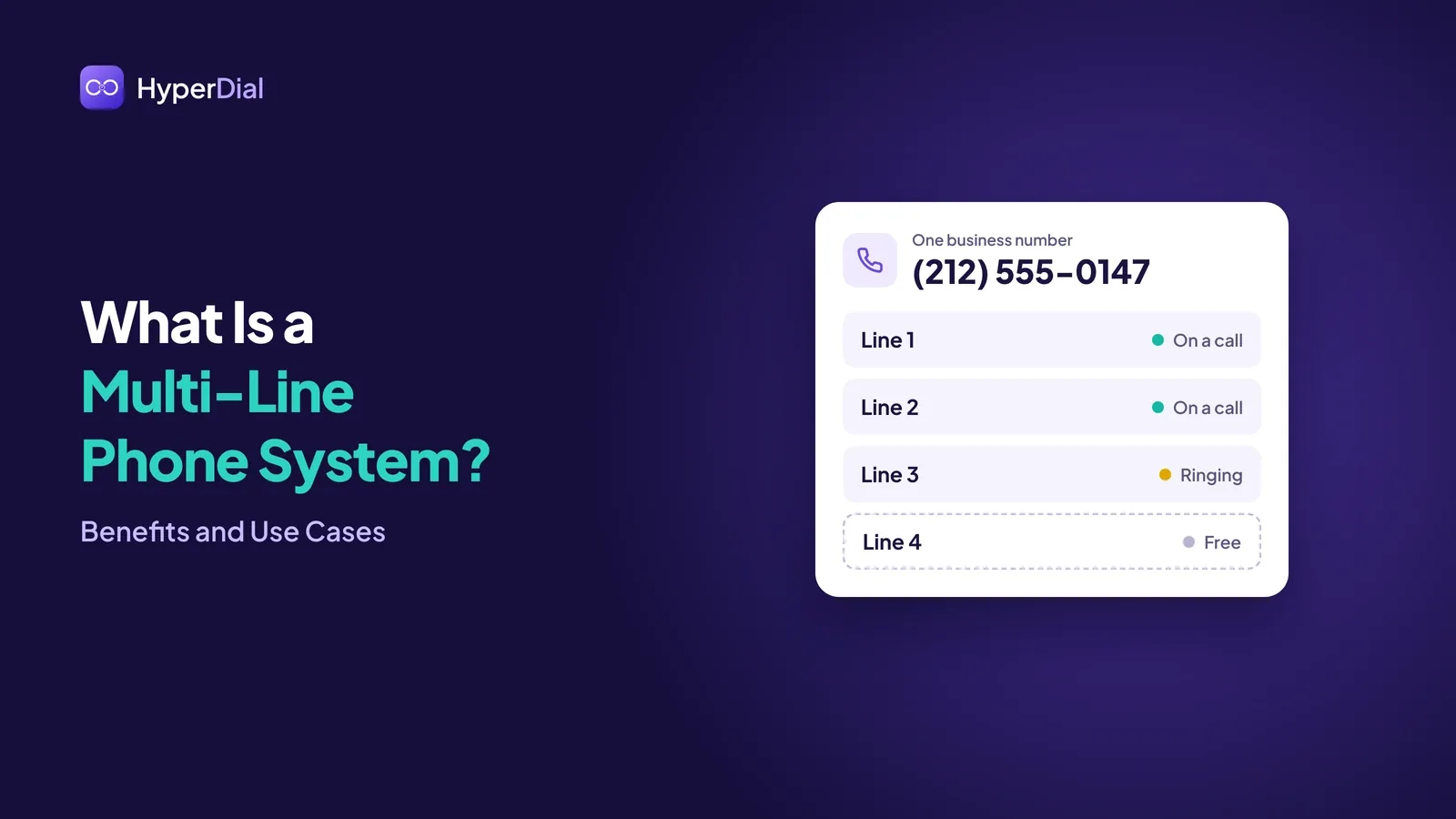
Think about a small office with one phone line. A customer calls, and the owner picks up. While they talk, a second customer calls and hears a busy tone. That second customer may never call back, and the office never even knows it missed them.
A multi-line phone system fixes that problem. It gives your business room for more than one call at once, plus simple tools to share calls across a team. This guide explains how it works in plain words and the types you can choose from. It also covers the benefits, the features and how many lines you really need.
Every fact in this guide links to its source. We last checked them on 19 November 2026.
Key takeaways
- A multi-line system handles many calls at once. No caller hears a busy tone just because someone else is on the phone.
- A line is not the same as a number. One number can carry many calls at the same time.
- Most new systems run over the internet, so there is no phone box to buy or wire up.
- Count your busiest hour to know how many lines you need.
What is a multi-line phone system?
A multi-line phone system is a phone setup that can carry two or more calls at the same time. Each "line" is room for one call. With more lines, more people can talk at once, and new calls keep coming in while others are still going on.
A normal home phone has one line. That works fine for a family, because two people rarely need to call at the same moment. A business is different. Customers call when they need you, not when you're free. When several of them call in the same few minutes, a single line turns most of them away.
A multi-line system changes what happens to that second, third or fourth caller. Instead of a busy tone, the call can ring another person, wait in a short line called a queue, or go to voicemail. Your team can also pass calls to each other, put callers on hold and see who is free.
Years ago, this meant a desk phone with a row of line buttons and a box of wiring in a back room. Today, most multi-line systems live on the internet. Your team answers on a laptop, a mobile app or a desk phone. The "lines" are simply the number of calls the system can handle at once.
What is the difference between a line, a number and an extension?
A line is room for one call. Customers dial a number, and an extension is a short code that reaches one person inside your business. People often mix these up, and that can lead to buying the wrong thing.
Table 1: Lines, numbers and extensions in plain words
| Term | What it means | Simple example |
|---|---|---|
| Line | Room for one call at a time | 5 lines = 5 calls at once |
| Phone number | What customers dial to reach you | Your main business number |
| Extension | A short code for one person | Dial 204 to reach Priya |
| Direct number | A full number that rings one person or team | A sales team's own number |
Here's an example that ties them together. Your business has one main number on its website. Behind that number sit five lines, so five customers can be on calls at once. Inside the office, each person has a three-digit extension, so colleagues can transfer calls to each other quickly.
The key point is this: on an internet phone system, one phone number can carry many calls at the same time. You don't need one number for each line. Extra numbers are useful for other reasons, like a local number in a new city or a separate number for support.
Our guide on how many phone numbers a business needs explains when extra numbers do help. To learn about direct numbers for people and teams, read what direct inward dialing is.
How does a multi-line phone system work?
A multi-line phone system works by sending every call through one central system that decides where it goes. That system knows who is free, who is busy and what to do when nobody can answer. Here's what each part does.
The central system
Every multi-line setup has a brain in the middle. In older offices, this brain is a box called a PBX (private branch exchange). Each outside phone line is wired into the box, and the box connects calls to the desk phones around the office. If the box has four lines, it can only handle four calls at once.
Internet phone systems keep the same idea but move the brain online. Your voice travels as data over the internet, and calls are set up using an open standard called SIP (Session Initiation Protocol). Because the central system lives online, there is no box in your office. Your provider runs it, and you change its settings in a web page.
Incoming calls
When a customer dials your number, the call goes to the central system first. The system checks its rules: is the business open, which team should answer, and who is free right now? Then it rings the right person or group.
If everyone is busy, the system doesn't give up. It can put the caller in a queue with a short message, offer to call them back, or send them to voicemail. This is the biggest change from a single line, where the only option is a busy tone.
Outgoing calls
Your team also makes calls through the same system. When someone calls a customer, the system picks an open line and shows your business number on the customer's screen. The customer sees one familiar number, no matter which person in your team is calling.
Several people can call out at the same time, as long as there are enough lines. Sales teams that spend the day calling out need more room here than a team that mostly answers calls.
Moving calls between people
A multi-line system also lets your team work together on one call. You can put a caller on hold, pass them to a colleague, or bring a colleague into the call. Each of these actions frees up or uses a line, and the system keeps track for you.
Here is what happens on a typical call:
- The customer dials your business number.
- The system checks its rules, like opening hours and who should answer.
- It rings the right person or team. If they're busy, it rings someone else or puts the caller in a queue.
- Someone answers. They can hold, transfer or add a colleague.
- The next call comes in at the same time, and the system does the same again.
What are the types of multi-line phone systems?
There are four main types of multi-line phone systems. They differ in where the system lives, how you add more lines and how much work it takes to look after. Here's each one in plain words.
Key system
A key system is the simplest and oldest type. Each desk phone has a row of buttons, one for each outside line. When a light flashes, anyone can press that button to answer. It's like having several phones built into one handset.
Key systems suit very small offices with a handful of people in one room. They don't grow well, though. Adding a line usually means new wiring or new phones, and calls can't follow people outside the office.
On-site PBX
An on-site PBX is a phone box that lives in your office, often in a cupboard or server room. It connects your outside lines to many desk phones, gives each person an extension, and adds features like transfer and voicemail.
This type suits larger offices that already have IT staff. The downside is the work: someone has to buy the hardware, keep it updated and fix it when it breaks. Adding lines often means calling in an engineer.
Hybrid system
A hybrid system mixes an office PBX with internet calling. Some calls run over the old phone lines, and others run over the internet. Businesses often use this as a halfway step while they move away from old equipment.
A hybrid lets you keep desk phones you've already paid for. It also means looking after two kinds of systems at once, which can get messy over time.
Cloud (VoIP) system
A cloud system, also called a VoIP system, runs entirely online. There is no box in your office. Your provider runs the central system, and your team answers calls in an app, a web browser or on internet desk phones.
This type suits most growing teams. You add room for calls by adding users, and people can answer from home, the office or on the road. The trade-off is that you need a steady internet connection, which we cover in the downsides below.
Table 2: Types of multi-line phone systems compared
| Type | Where it lives | How you add lines | Good for |
|---|---|---|---|
| Key system | Desk phones with line buttons | Buy a bigger phone | A tiny office |
| On-site PBX | A box in your office | Add wired lines | Large offices with IT staff |
| Hybrid system | Office box plus internet calls | Mix of both | Firms moving off old kit |
| Cloud (VoIP) system | Online, run by the provider | Add a user | Most growing teams |
To compare the old and new ways in more detail, read our guide on cloud telephony vs PBX.
What about 2-line, 4-line and 6-line phones?
You'll often see desk phones sold as "2-line", "4-line" or "6-line". The number tells you how many outside lines that one handset can show at once. A 2-line phone suits a small shop with occasional overlapping calls. For a front desk that juggles several calls, a 4-line or 6-line phone fits better.
These phones belong to the older types above. A cloud system doesn't need them, because the app or browser can handle every call the system allows. If you already own multi-line desk phones, ask your new provider whether they can still be used.
What are the benefits of a multi-line phone system?
The biggest benefit of a multi-line phone system is simple: customers get through, even when your team is busy. Here's what that means day to day.
Customers get through instead of hearing a busy tone
A busy tone tells a customer you're not available, and many won't try again. With more than one line, every caller reaches something useful: a person, a queue or a voicemail box. That alone can turn lost calls into sales.
It also changes how your business feels to callers. They expect a company to answer, not to be engaged. A multi-line system meets that expectation without hiring a receptionist.
Fewer missed calls
Missed calls usually bunch up at busy times, like Monday mornings or lunchtime. A multi-line system spreads those calls across your team automatically. If one person is busy, the next free person's phone rings.
Our guide on how to reduce missed inbound calls shows how to find when and why calls are missed. Then you can fix the right thing.
Your team works together on calls
With a single line, every call is one person's problem. A multi-line system lets your team share the load. Someone can answer, check who knows the answer, and pass the call along without the customer hanging up and calling back.
That teamwork saves time for everyone. Customers explain their problem once, and the right person picks it up.
One number for the whole business
With one number, customers don't have to guess who to call. Behind it, many people can answer at the same time. This also keeps personal mobile numbers private, because nobody has to hand out their own number.
If one number feels too crowded, you can still add separate numbers for teams later. Our guide on separate numbers for different departments explains when that helps.
It grows with your team
On a cloud system, adding room for calls is as easy as adding a person. There's no rewiring and no waiting for an engineer. When a busy season ends, you can scale back down just as easily.
You sound bigger than you are
A short greeting, a simple menu and smooth transfers make even a two-person business sound organized. Callers can't tell whether you're in a big office or working from home. What they notice is that someone answers and knows what to do with their call.
What features does a multi-line phone system have?
A multi-line phone system comes with features that help a team share calls without dropping any. These are the ones you'll use most, and what each one does.
Hold and transfer
Hold lets you pause a call while you check something, without hanging up. Transfer lets you pass the caller to a colleague. Together, they're the reason a multi-line system feels like teamwork instead of a single busy phone.
Ringing several people at once
This feature rings a group of phones at the same time, and the first person who is free picks up. It's the simplest way for a small team to stop missing calls. Some providers call it a ring group or simultaneous ringing.
Call queue
A call queue holds callers in line when everyone is busy. Callers hear music or a message, then reach the next free person in order. Queues work well for support teams, because calls often arrive in bursts.
Phone menu (IVR)
A phone menu, or IVR (interactive voice response), greets callers and lets them choose where to go. You've heard one: "Press 1 for sales, press 2 for support." Keep it to three or four options. Our guide on what IVR is explains how to set one up.
Business hours
Business hours let the system follow different rules when you're open and when you're closed. During the day, calls ring your team. At night, they go to voicemail or a message with your opening times.
Voicemail and greetings
Voicemail takes a message when nobody can answer. A custom greeting tells callers who they've reached and when you'll call back. Short, friendly greetings work best.
Call recording and reports
Call recording saves calls so you can listen back later, which helps with training and settling disputes. Reports show how many calls you answered and missed, and when your busiest hours are. Those numbers tell you when to add people.
What are the use cases of a multi-line phone system?
A multi-line phone system helps any business where more than one call can come in at the same time. The table below gives a quick view, and the sections after it explain each case.
Table 3: Use cases for a multi-line phone system
| Business | Why it needs more than one line | Feature that helps most |
|---|---|---|
| Small office | Two people may be on calls at once | Ringing several people at once |
| Sales team | Reps call out all day | Many outgoing calls at once |
| Support desk | Calls pile up at busy times | Call queue and callbacks |
| Clinic or front desk | One person can't take every call | Phone menu and transfer |
| Remote team | People work from different places | App on laptop and mobile |
Small offices
In a small office, two or three people often share the phone. A multi-line system rings all of them at once, so whoever is free picks up. When the owner is on a long call, new callers still reach someone. For a whole team sharing one number, see our guide on how to set up a shared business phone number.
Sales teams
Sales reps spend much of the day calling out. Each rep needs their own line free at the same time, so the team doesn't wait for a line to open. Customers see one business number on every call, which builds trust and makes call-backs easy.
Support desks
Support calls tend to arrive in waves, like after a delivery delay or a product update. A queue holds callers in order, and a callback option lets them hang up without losing their place. Every caller gets help, even at peak times.
Clinics and front desks
A clinic, salon or office front desk often has one person answering the phone while also greeting visitors. With a phone menu, simple questions like opening hours go to a recording. Transfer lets the front desk pass calls to the right person quickly.
Remote and hybrid teams
When people work from different places, an office desk phone doesn't help. A cloud multi-line system rings each person's laptop or mobile app, wherever they are. Callers can't tell whether you're in the office or at home.
How many lines does your business need?
You need enough lines for the most calls that happen at once in your busiest hour, plus a little extra. Too few lines and callers get turned away. With too many, you pay for room you never use. A little simple math gets you close.
Use this rule of thumb:
- Find your busiest hour.Check your call history for the hour with the most calls.
- Multiply the calls by the average call length in minutes.
- Divide by 60. This gives the average number of calls happening at once.
- Add a buffer of about half again, because calls bunch up.
Here's an example. Say your busiest hour has 40 calls, and each one lasts about 6 minutes. That's 40 × 6 = 240 minutes of talking. Divide by 60 and you get 4 calls at once on average. Calls don't arrive evenly, so add a buffer and plan for about 6 lines.
Don't forget outgoing calls. If your sales team calls out at the same time as customers call in, add one line for each person dialing. On a cloud system, you don't buy lines one by one. You make sure enough people are set up to answer and call out, and the system handles the rest.
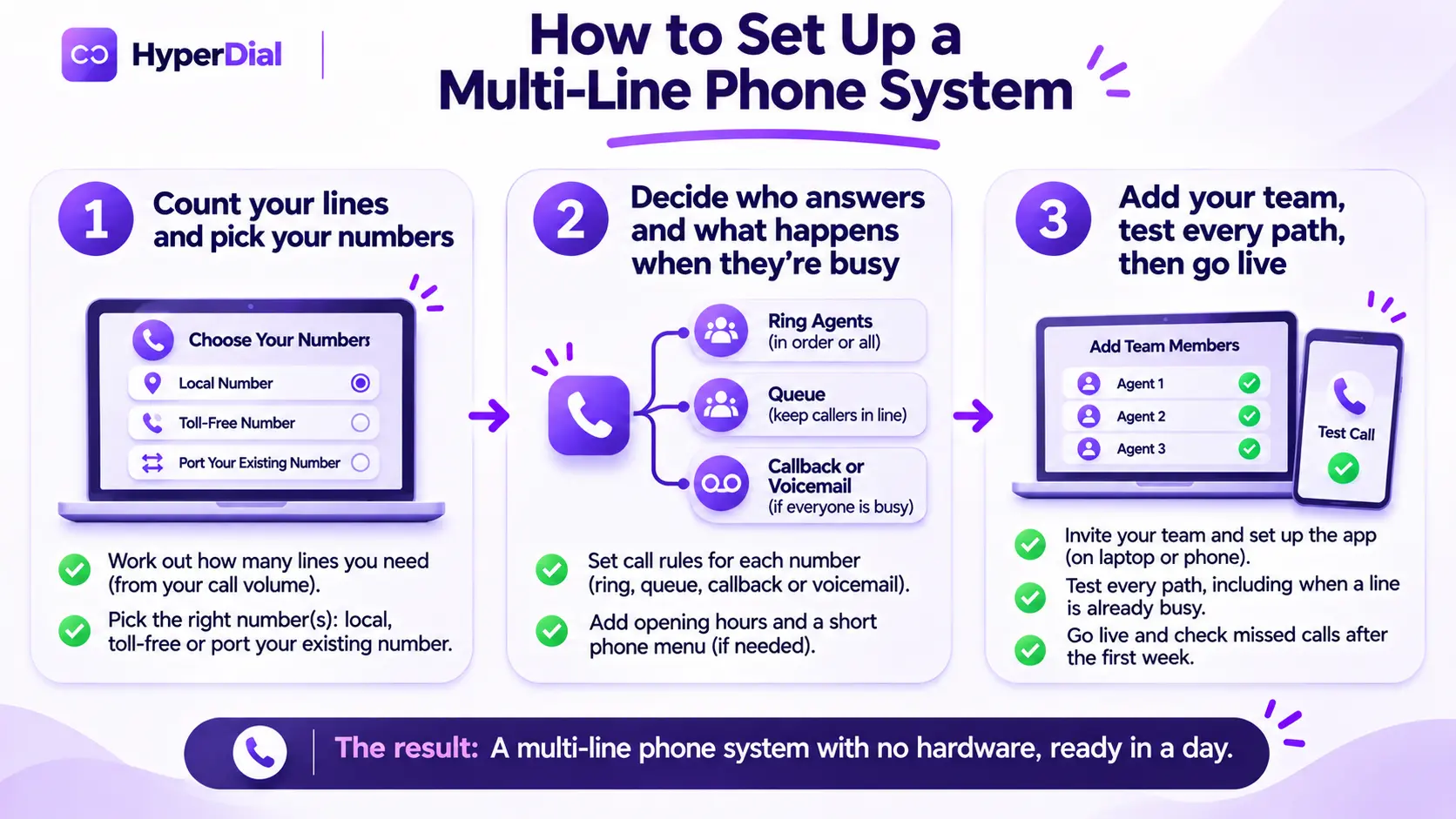
How do you set up a multi-line phone system?
Setting up a cloud multi-line phone system takes three steps, with no wiring or hardware. Most teams are ready in a day.
Step 1: Count your lines and pick your numbers
Start with the math above, so you know how many calls happen at once. Then decide which numbers you need. Most businesses start with one main number. Some add a local number for each city or a toll-free number for support.
You can get local numbers so you look nearby, or toll-free numbers so customers call you for free. Already have a number? You can usually keep it by moving it to your new system. That's called porting, and our guide on what number porting is explains how it works.
Step 2: Decide who answers and what happens when they're busy
Next, set the rules for each number. Choose who it rings, in what order, and what happens if nobody is free. Good options are a queue, a callback or voicemail. Don't let calls simply ring out.
Set your opening hours too, so calls after closing go to the right place. Add a short phone menu if callers need to choose between teams. Our guide on call routing strategies gives simple setups you can copy.
Step 3: Add your team, test every path, then go live
Invite each person and give them the app on their laptop or phone. Then call your own number from a mobile. Try every menu option, and call while someone else is already on the phone. That second test is the one people forget. It's the only way to check that a busy line passes the next call on.
Once every test works, share the number on your website, emails and ads. Check your missed-call report after the first week, and add people to the busiest times if calls are waiting too long.
What are the downsides of a multi-line phone system?
The main downside of an internet multi-line phone system is that it needs a steady internet connection and power. Most of the other downsides come down to planning. Here's what to watch for:
- Internet problems: a weak or busy connection can make calls choppy or drop them. Our guide on VoIP call quality issues explains the common fixes.
- Power cuts: if the power or internet goes down, desk and laptop calls stop. A mobile app on mobile data can keep working.
- Emergency calls: some internet phone services don't support emergency calls. Keep another phone available for that.
- Setup time: you need to plan who answers each call. Without a plan, calls end up in the wrong place.
- Cost per person: most paid plans charge for each user, so the bill grows as your team grows.
Old office systems have downsides too. They need hardware, wiring and someone to fix them. Adding a line can mean waiting days for an engineer, and calls can't follow people outside the building.
How does HyperDial work as a multi-line phone system?
HyperDial is a cloud phone system, so every number can take several calls at once without phone boxes or extra wires. Your team only needs a browser and a headset, as HyperDial's voice calling page explains.
The free Base plan already covers the core multi-line features, according to HyperDial's pricing page:
- Simultaneous ringing, so several people's phones ring at once.
- Call queues and a multi-level phone menu (IVR).
- Business-hours routing, call forwarding and voicemail.
- Call recording, custom greetings and standard reports.
Paid plans add more, such as included minutes and extra support. On every plan, numbers and minutes are billed at cost with no markup.
HyperDial's routing decides who gets each call. It can route by the number dialed or the caller's region. Returning callers can also go straight to the person they spoke to last time. When nobody is free, overflow rules send the call to another queue, a callback or the after-hours path. You can add people to your account using the guide to inviting an agent.
There are two limits to know. First, HyperDial's fair usage policy doesn't allow forwarding a HyperDial number into another PBX or multi-line system. So HyperDial replaces your old system rather than plugging into it. Second, HyperDial's terms say the service doesn't support emergency calls, so keep another phone for those.
What should you do next?
Look at your call history and find your busiest hour. Use the math above to count how many calls happen at once. Then pick your numbers, set who answers, and test with two calls at the same time. To start, try HyperDial free, compare plans on the pricing page or book a demo.
Sources


