
How to set up a shared business phone number for a team
Learn how to give your whole team one business number customers can always reach, set up in three simple steps so no call or callback slips through.

This short guide walks you through the setup in three steps, plus the habits that keep a shared number running smoothly once customers start calling.
What do you need before you set up a shared number?
You need a number, a list of who should answer, and a plan for how calls should reach them. A phone number is only an address in the ITU's E.164 numbering plan, so a cloud phone system can point one number at a whole team. Have these ready before you start:
- The number: a new local or toll-free number, or the one customers already know.
- Who answers: the people who will take calls on the shared number.
- How calls should ring: in a set order, as a team, or through a queue.
- Your business hours: when the number should ring and what happens after hours.
- Who sees what: which people need access to recordings and reports.
How do you set up a shared business phone number?
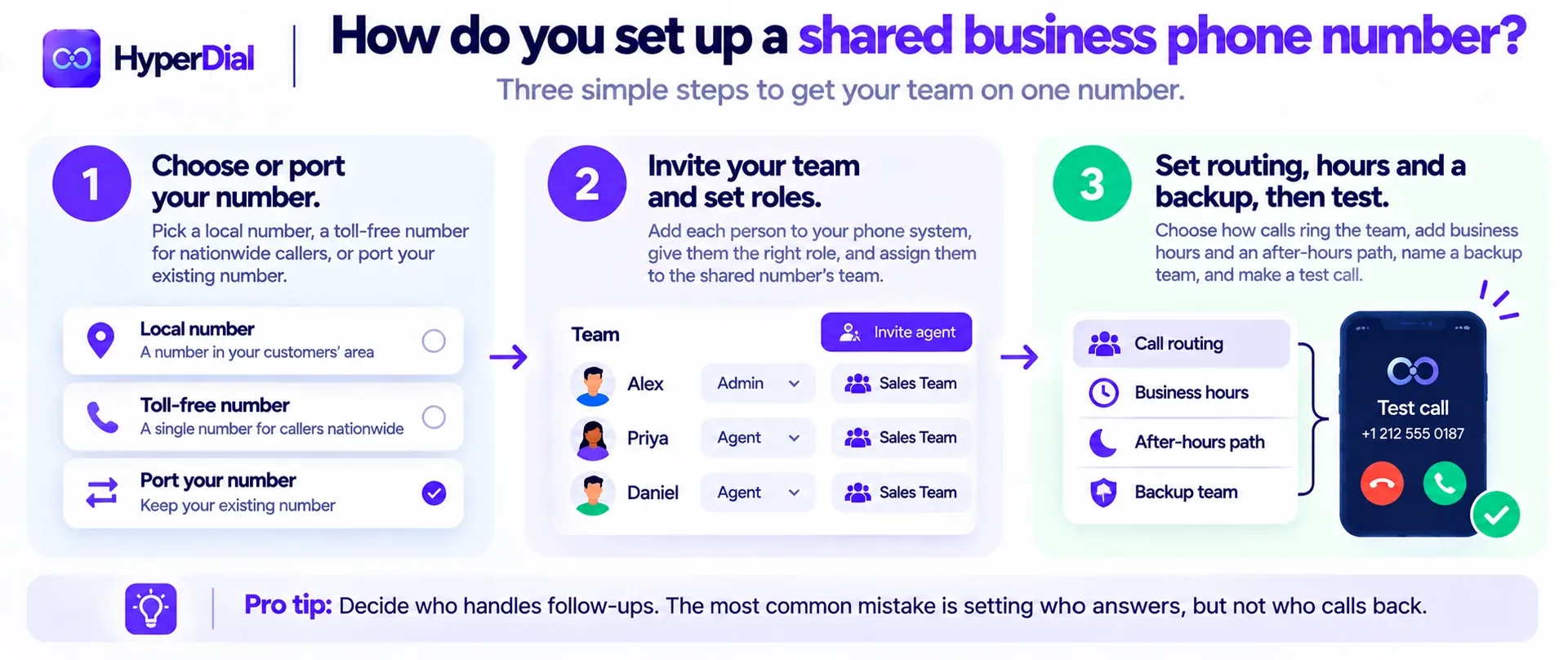
You set up a shared business phone number by choosing the number, adding your team, and setting the routing rules. Follow these three steps:
- Choose or port your number. Pick a local number in your customers' area or a toll-free number for nationwide callers, or port your existing number so customers keep dialing it.
- Invite your team and set roles. Add each person to your phone system, give them a role that fits what they should see, and assign them to the shared number's team.
- Set routing, hours and a backup, then test. Choose how calls ring the team, add business hours and an after-hours path, name a backup team, and make a test call before you share the number.
The most common mistake happens at step 3: teams decide who answers but not who calls back. Agree that whoever takes the first call owns the follow-up, or give callbacks to one person each day.
In HyperDial, you invite people from Settings → Team → Invite agent, choose a role and optionally assign a number and team, as explained in the help article on inviting an agent. A seat is only billed once the invitation is accepted.
How should calls ring your team?
Calls should ring your team in the way that matches how busy you are and who's available. Here's a quick way to choose:
Choose a calling order if one person usually answers first and others step in when they're busy.
Choose team ringing if a small group shares the work and any of them can help.
Choose a queue if calls often arrive faster than your team can answer them.
HyperDial's call routing handles each team's calling order and backup team, with business hours and holiday calendars per queue. When everyone is busy, callers can hold their place and get a callback instead of waiting on the line.
What number shows when your team calls out?
When your team calls out from the shared number, customers see that same business number. That way, any callback reaches the team instead of one person's mobile. HyperDial's local phone numbers can also show a local caller ID on outbound calls.
How do you keep a shared number working well?
You keep a shared number working well with clear ownership, sensible access and a regular look at missed calls. These habits help most teams:
- Name a callback owner so no customer waits for a reply nobody sends.
- Sign your texts with your first name, so customers know who they're talking to.
- Use roles: in HyperDial, Agents see their own conversations, while Managers also see the team's recordings and reports.
- Review missed calls weekly in call analytics, which shows total, answered and missed calls.
- Train new joiners on your greeting and callback rules before their first shift.
When should you avoid a shared number?
You should avoid a shared number when customers need one named contact, such as an account manager or a recruiter. In those cases, give that person a direct number of their own, and keep the shared number for general calls. Many teams use both: one shared main line, plus direct lines for the people customers ask for by name.
What should you do next?
List who should answer your shared number, in what order, and who owns callbacks. Then pick or port your number, invite your team and make a test call. When you're ready, try HyperDial free or compare plans on the pricing page.
Sources


