
Cloud Business Phone System
This guide follows a single call from start to finish, from the moment a customer dials to the moment the call is logged in your reports, and explains what a cloud phone system does at each step.
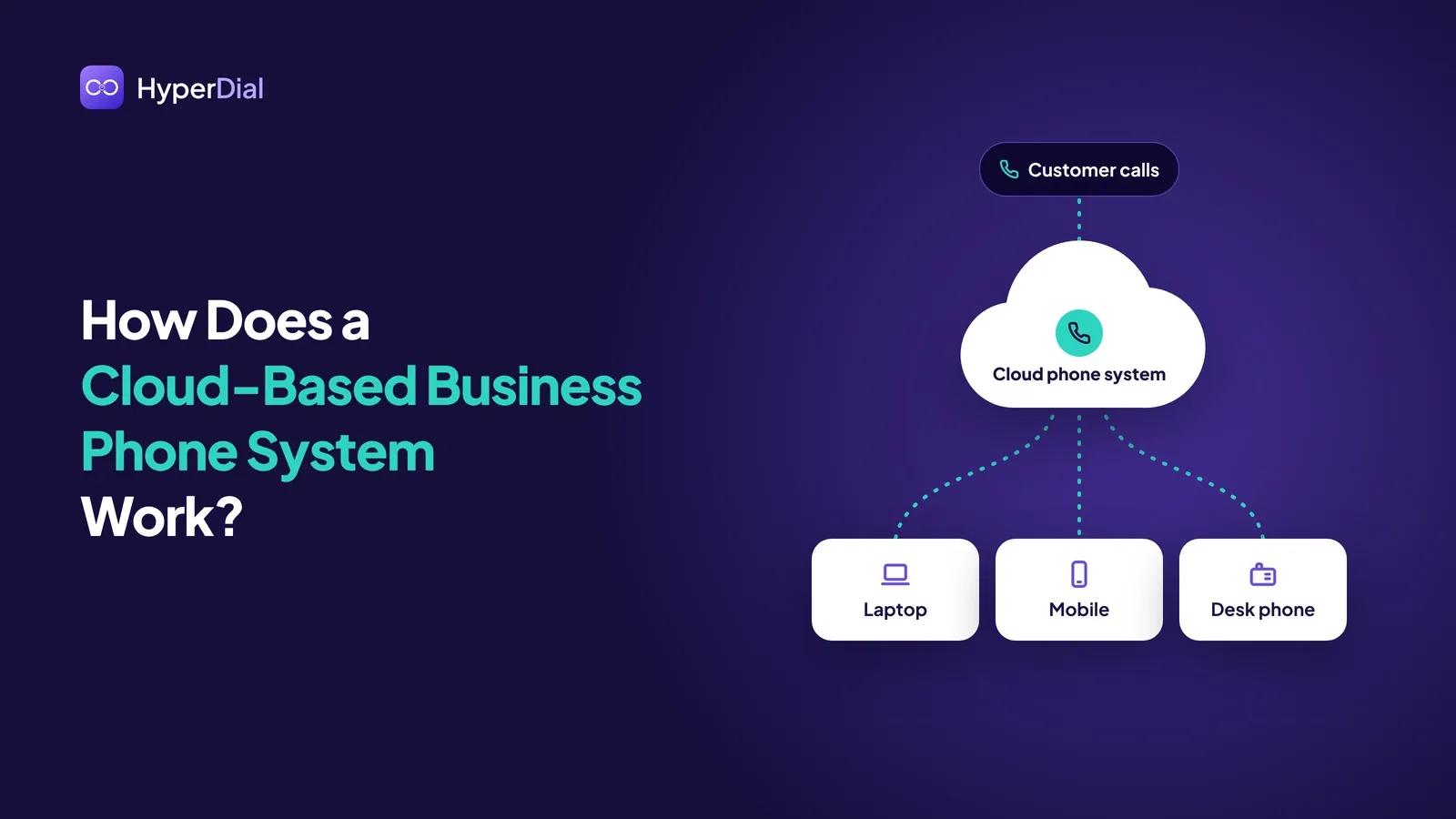
That's the short version. The longer version is worth knowing. It explains why cloud phones can ring a whole team at once, work from anywhere and log every call automatically.
This guide follows two real call journeys from start to finish: a customer calling in, and a sales rep calling out. Along the way, you'll see each part of the system, what it does and where things can go wrong. Everything is in plain words, with no telecoms background needed. New to the idea? Start with our guide on what cloud telephony is, then come back for the inside view.
Every fact in this guide links to its source. We last checked them on 20 November 2026.
Key takeaways
- The "phone box" lives online. Your provider runs it, so you don't buy or maintain hardware.
- Calls follow your rules. Hours, menus, queues and routing all happen in the cloud before anyone's phone rings.
- Your team answers anywhere, on a laptop, mobile app or desk phone.
- Everything is logged, so reports and call records build themselves.
What are the parts of a cloud phone system?
A cloud phone system has six parts that work together. You don't need to manage most of them, but knowing what each does makes the call journeys below much easier to follow.
Phone numbers
Your business numbers belong to your account with the provider. They follow the worldwide format set by the ITU's E.164 numbering standard: a country code, then a national number. Because the numbers live in the cloud, you can point any number at any person, team or menu.
The cloud phone exchange
This is the brain of the system. It's the online version of the office PBX box. It holds your rules, decides where each call goes, and keeps track of who is free and who is busy.
Links to the phone networks
Your provider connects its cloud exchange to the normal phone networks that mobiles and landlines use. That's why anyone can call your business number from any phone, even though your team answers on a laptop.
Your team's devices
People answer calls on a desktop app, a web browser, a mobile app or an internet desk phone. Browser calling uses a web standard called WebRTC, so there's often nothing to install.
Your internet connection
Calls travel between the cloud and your devices over the internet. A steady connection matters more than a fast one, which we explain further down.
Rules, records and reports
Everything you set up, like opening hours, menus and routing, lives in the cloud. The system also records call details, saves recordings if you turn them on, and builds reports automatically.
What happens when a customer calls your business?
When a customer calls your business, the call passes through six stages before and after someone answers. Let's follow one call from start to finish.
Table 1: An incoming call journey at a glance
| Stage | What happens | Where it happens |
|---|---|---|
| 1. Dial | Customer dials your number | Customer's phone |
| 2. Hand-off | Phone network passes the call to your provider | Phone network |
| 3. Rules | System checks hours, menu and caller details | Cloud exchange |
| 4. Routing | System picks the right person or queue | Cloud exchange |
| 5. Ringing | Team's apps or desk phones ring | Over the internet |
| 6. After the call | Call is logged, recorded and reported | Cloud exchange |
Stage 1 and 2: The customer dials and the network hands the call over
The customer dials your number from any mobile or landline. Their phone company looks up who holds that number and sends the call to your provider. This part works just like any normal phone call, so the customer doesn't need to do anything special.
Stage 3: The cloud system checks your rules
Before anything rings, the cloud exchange checks your settings. Is the business open right now, or is it a holiday? Should the caller hear a greeting or a menu first? With a phone menu, the caller might hear "Press 1 for sales, press 2 for support." Our guide on what IVR is explains how menus work.
Stage 4: The call is routed to the right person
Next, the system decides who should answer. It might ring a whole team at once, try people in order, or pick someone who speaks the caller's language. If everyone is busy, the caller waits in a queue or is offered a callback, instead of hearing a busy tone.
HyperDial's support team setup is a good example of this stage. It routes on why the customer is calling and uses skills like language, product and region. Queue callbacks mean waiting doesn't have to involve hold music.
Stage 5: Your team's devices ring
The chosen person's laptop, mobile app or desk phone rings over the internet. When they pick up, the system connects their audio to the customer's. The two people now hear each other, wherever each one is. One could be on a mobile in one city, and the other on a laptop abroad.
During the call, the agent can put the caller on hold, transfer them or bring in a colleague. All of that happens in the cloud, so it works the same wherever people sit.
Stage 6: The call is logged and added to reports
When the call ends, the system saves the details: who called, who answered, how long it lasted and what happened. If recording is on, the audio is saved too. Some systems also write a transcript and summary, and send the details to your CRM.
Those records build your reports. Managers can see missed calls, busy hours and wait times without anyone keeping a spreadsheet.
What happens when your team makes a call?
When your team makes a call, the journey runs the other way, from your device through the cloud to the customer's phone. Here's how an outgoing sales call works.
The rep starts the call
A rep clicks a number in their app or CRM, or a dialer picks the next number from a list. Dialers save reps from typing every number by hand. Our guide on power dialer vs predictive dialer explains the different kinds.
The system picks the caller ID
Before the call goes out, the cloud system decides which of your numbers the customer will see. Many teams use a local number from the customer's own area, which people are more willing to answer. This is called local presence. Our guide on local presence dialing explains how it works.
The call reaches the customer
The cloud exchange passes the call to the phone network, which rings the customer's mobile or landline. To them, it looks like a normal business call.
No answer? The system handles it
If the customer doesn't pick up, the system can leave a recorded voicemail. The rep doesn't have to wait for the beep. It can also schedule a retry at a better time of day.
The call is logged and coached
After the call, the details and outcome go to the CRM automatically. If the call was recorded, managers can review it later. Some systems also show reps live prompts while they talk.
HyperDial's outbound sales setup shows this journey in practice. It offers predictive and power pacing, local presence from a number that matches the region, voicemail drop and retry rules. Reps also get live prompts drawn from your own won calls.
How does your voice travel over the internet?
Your voice travels over the internet in tiny packets of data, sent many times a second. Two open standards do most of the work.
The first, SIP (Session Initiation Protocol), sets up and ends each call. Think of it as dialing and hanging up. The second, RTP (Real-time Transport Protocol), carries the actual sound back and forth while you talk.
Because sound arrives in small packets, the internet connection has to be steady. If packets arrive late, out of order or not at all, voices can sound choppy or robotic. That's why a steady connection matters more than a fast one. Our guide on what jitter is explains the most common cause, and VoIP call quality issues covers the fixes.
How do you get a cloud phone system working for your team?
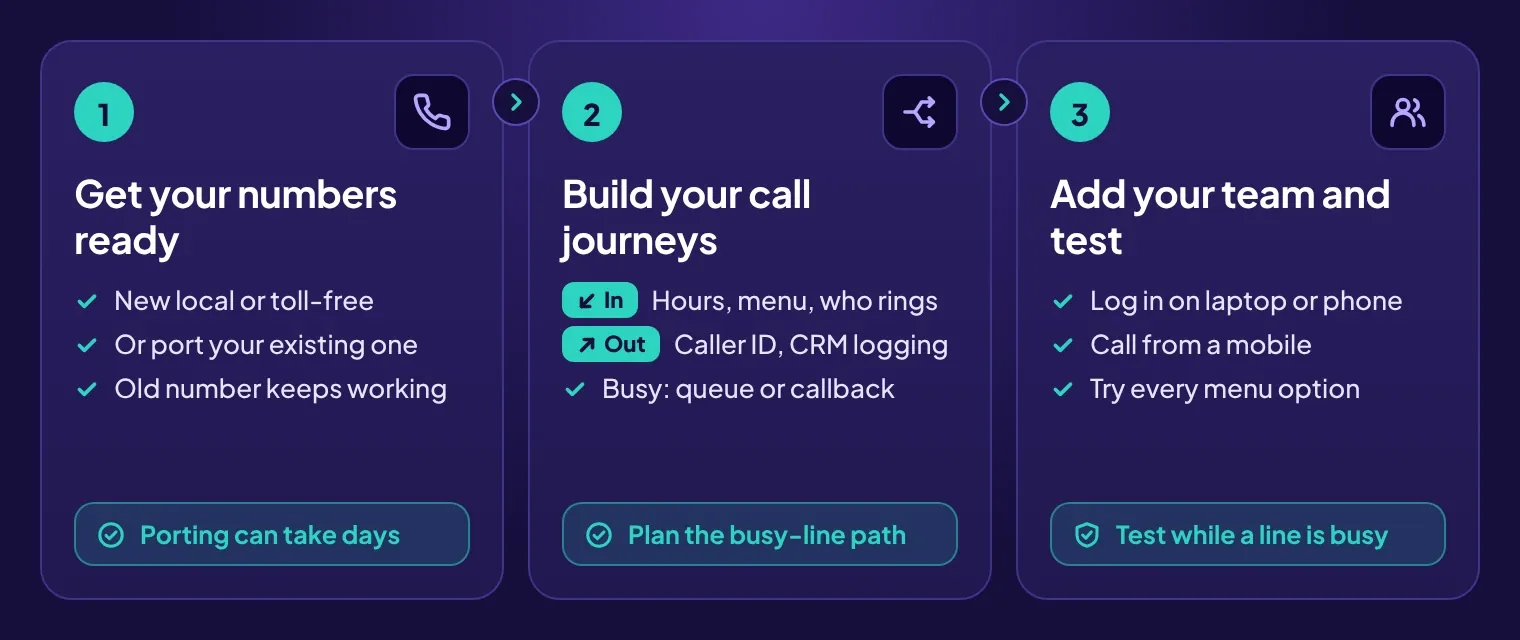
You can get a cloud phone system working in three steps, with no wiring or hardware. Each step builds one part of the call journeys above.
Step 1: Get your numbers ready
Choose the numbers your customers should see. You can get new local or toll-free numbers, or bring your existing number with you. Moving an existing number is called porting, and your old number keeps working until the switch.
Do this first, because porting can take a few days. Our guide on what number porting is explains what to check before you start.
Step 2: Build your call journeys
Set up the rules from the incoming call journey above. Add your opening hours, a short greeting or menu, and who each call should ring. Decide what happens when everyone is busy: a queue, a callback or voicemail.
Then set up the outgoing side. Choose which number shows when your team calls out, and connect your CRM so calls are logged automatically. Our guide on call routing strategies has simple setups you can copy.
Step 3: Add your team and test both journeys
Invite your team and have each person log in on their laptop or phone. Then test the full incoming journey from a mobile. Call your number, try every menu option, and call while someone is already busy. Test the outgoing journey too, and check what number the customer sees.
That busy-line test is the one most teams skip. It's the only way to know that a second caller gets a queue or callback, not a dead end.
What does a cloud phone system need to work well?
A cloud phone system needs a steady internet connection, power for your devices and well-planned rules. Here's what to plan for:
- Internet problems: a weak or busy connection can make calls choppy or drop them.
- Power cuts: if the power or internet goes down, laptop and desk phone calls stop. A mobile app on mobile data can keep working.
- Emergency calls: some cloud phone services don't support emergency calls, so keep another phone for that.
- Setup choices: the system only routes calls as well as your rules allow, so poor setup means calls go to the wrong place.
Most of these are easy to plan around. Our guide on business call reliability shows how to keep calls flowing during outages.
How does HyperDial run incoming and outgoing calls?
HyperDial is a cloud phone system, so both call journeys above run in its cloud, not on hardware in your office. Your team only needs a browser and a headset, according to HyperDial's voice calling page.
For incoming calls, HyperDial's routing and IVR handles menus, hours, skills and overflow. The support solution page describes routing on why customers called, priority queues and callbacks. It also covers AI agents that handle routine requests and hand complex ones to a person with the transcript attached.
For outgoing calls, the outbound solution page describes predictive and power pacing, local presence, voicemail drop, retry rules and live coaching prompts.
After every call, the record is ready. Calls are recorded, transcribed and scored, and call analytics show connect rates, talk time and outcomes. Records also sync to CRMs such as Salesforce, HubSpot and Zoho CRM, as listed on the integrations page.
There are limits to know. HyperDial's terms of service say the service doesn't support emergency calls, so keep another phone for those. It also needs a working internet connection, like any cloud phone system.
What should you do next?
Map your two call journeys on paper. Write down what should happen when a customer calls, and what your team needs when they call out. Then get your numbers ready, build those journeys in a cloud phone system and test them with real calls. To start, try HyperDial free, compare plans on the pricing page or book a demo.
Sources


