
How to Get a US Phone Number from Outside the US
Getting a US number takes minutes, and this guide covers the rules that decide whether your calls and texts actually reach US customers.
Most guides stop at "sign up and pick a number." The parts that actually trip up teams abroad come later. Texts get blocked because nobody registered them, outbound calls land at 3 a.m. in the customer's time zone, or a bank rejects the number for verification codes. This guide covers the setup and the US rules that apply even from another country. It also helps you choose the right number for what you plan to do.
Every fact in this guide links to its source, and we last checked them on 13 November 2026.
Key takeaways
- Calling and texting have different rules. Calls can start quickly, while texts need registration.
- Choose the area code by where your customers are, not where your team sits.
- US calling rules still apply from abroad, including calling hours, the Do Not Call registry and honest caller ID.
- A business VoIP number may not pass bank or app verification, so check before relying on it for that.
Can you get a US phone number if you're outside the US?
Yes, businesses outside the US can get a US phone number through a cloud phone provider, without living in the US or having a US company. The number lives in an online account, so it works from a browser, a desktop app or a mobile app anywhere with a good internet connection.
A US number is part of the North American Numbering Plan (NANP), the numbering system shared by 20 countries and territories under country code +1. The NANP Administrator describes US numbers as ten digits: a three-digit area code followed by a seven-digit local number. Callers in the US dial those ten digits, and callers abroad add +1 in front.
What a provider asks for varies. Some check your identity or business before activating a number, and many ask for a card to prevent spam signups. The bigger difference is between using the number for calls and using it for texts, which follow separate rules in the US.
What does a US phone number need for calls, texts and verification?
A US phone number needs different things depending on what you'll use it for. This table shows the usual requirements, so you can plan for the use you actually need:
Table 1: What a US number needs for each use
| Use | What it usually needs | How long it takes |
|---|---|---|
| Receiving calls | An account and a number | Often minutes |
| Making calls | The same, plus honest caller ID | Often minutes |
| Texting US customers | 10DLC brand and campaign registration | Depends on the registry review |
| Toll-free texting | Toll-free verification | Depends on carrier review |
| Bank or app verification codes | Often a mobile, non-VoIP number | Varies by service |
The table explains most of the surprises teams run into. A number that works perfectly for calls can still fail to send texts. Likewise, a business VoIP number can serve customers while some banks and apps refuse it for one-time codes.
Calling-only numbers
A calling-only number receives and makes calls but doesn't send texts. For many teams abroad, that's all they need: a US number customers can call, and one their reps can call out from. Calling-only numbers are usually the quickest to set up, because the text registration process doesn't apply.
Numbers that send texts
Texting US customers from a local business number needs 10DLC registration, short for 10-digit long code. Your provider registers your brand and each messaging campaign with The Campaign Registry, the industry body that manages 10DLC registrations, on your behalf. Expect to supply your business name, website, and details of the messages you'll send. Unregistered texts are likely to be filtered or blocked.
Which US area code should you choose?
You should choose a US area code based on where your customers are, because callers recognize local area codes and are more likely to answer them. A team in another country selling into New York should usually pick a New York area code, not one chosen at random.
Use these rules of thumb when choosing:
- Customers in one city or state: pick a local area code in that area.
- Customers across the US: pick a toll-free number, or several local numbers for your biggest markets.
- Outbound sales to many regions: consider local numbers in the regions you call most. Our guide to local presence dialing explains how this works.
- A number customers will see in ads or on your website: choose one area code and keep it for good.
Don't overthink the rare cases. If you're unsure, start with one local number where most customers are, and add more once your call data shows where demand comes from. Our guide on local vs toll-free numbers covers the trade-offs in more depth.
How do you get a US phone number from outside the US?
You get a US phone number from outside the US by deciding what it's for and setting it up with a provider. Then you make it ready for US customers before you publish it. Follow these three steps.
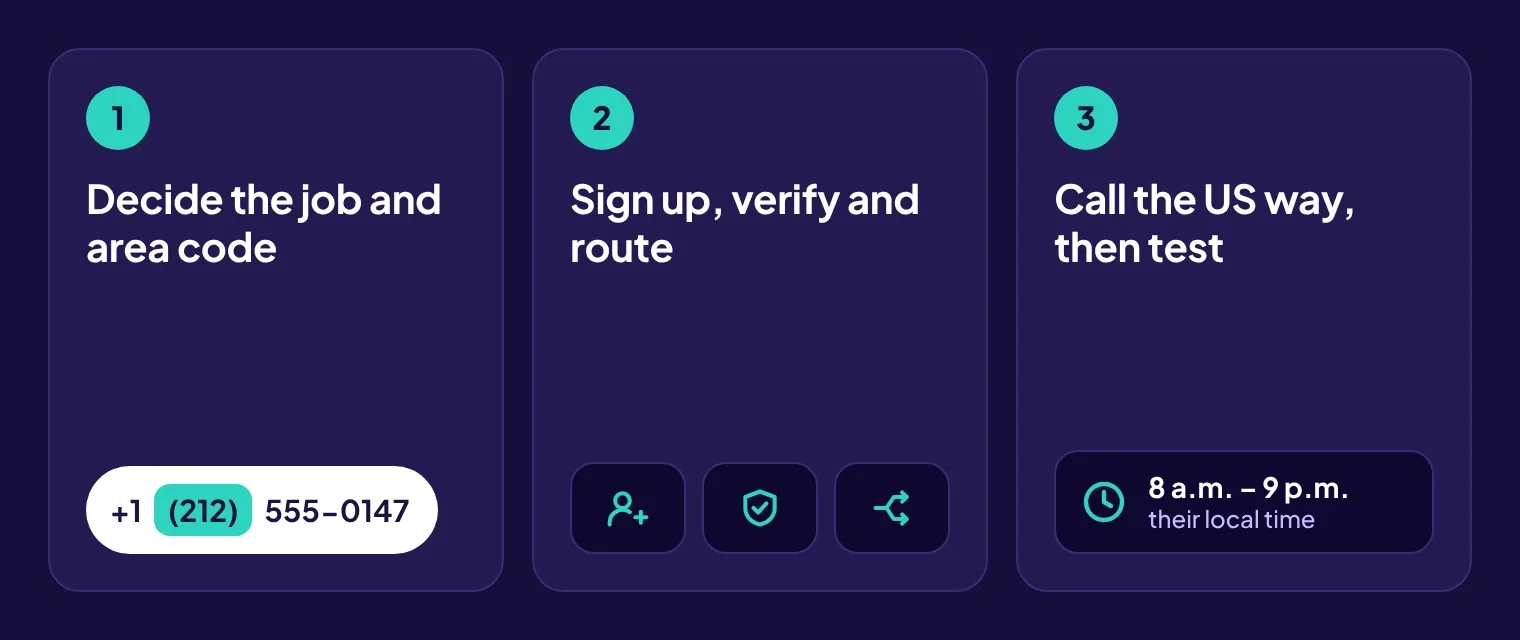
Step 1: Decide what the number is for, then choose the type and area code
Start with the job the number has to do. A support line that only takes calls needs very little. Sales lines that call and text US prospects need registration and some planning. Any number you'll use to sign up for US banks or apps may need to be a different kind of number altogether.
Then choose the number type and area code. Pick a local number in your customers' area, or a toll-free number if you serve the whole country. Write down whether you'll text from the number, because that decides whether you need 10DLC registration.
The mistake we see most happens here: buying the number first and discovering the texting rules later. A team plans an SMS campaign for launch week, then finds the registration review hasn't finished. If texting is part of the plan, start registration the day you get the number.
Step 2: Sign up, verify your account and set up the number
Create an account with a provider that offers US numbers, choose your area code, and pick a number from the ones available. Complete any identity or business verification the provider asks for. Some providers activate calling numbers straight away, while others review new accounts first.
Next, connect the number to your team. Decide who answers, add users, and set up routing so calls reach the right person or queue. Set business hours in US time, not your local time. Callers outside your working day then reach voicemail, a callback option or an after-hours message instead of endless ringing.
If you'll text, submit your 10DLC brand and campaign details now. Moving an existing US number from another provider? Start the port at this stage too. Our guide to what number porting is explains how the transfer works.
Step 3: Make calls the US way, then test before you publish
Calls to US customers have to follow US rules, even when your team is in another country. The FCC's telemarketing rule, 47 CFR 64.1200, bars telephone solicitations to residential subscribers before 8 a.m. or after 9 p.m., in the called person's local time. The same rule protects numbers on the national Do Not Call registry.
Caller ID matters too. US carriers check outbound calls using STIR/SHAKEN, a framework of standards that lets them verify the caller's identity as calls cross networks. Calls from a number you own, with honest caller ID, are far less likely to be flagged as spam. Our guide on why a business number gets marked as spam covers how to protect it.
Before you put the number on your website, test it. Call it from a US mobile and a landline, check what your outbound caller ID shows, and call outside your US business hours. Send a test text if you've registered for texting. Only then publish the number on your site, listings and email signatures.
When can you call US customers from another time zone?
You can call US customers when it's within their local business hours, which for a team abroad often means working late or early. For telephone solicitations to residential customers, the FCC rule sets a hard limit of 8 a.m. to 9 p.m. in the called person's local time. For business calls, sticking to the customer's normal working day is simply good practice.
The US spans several time zones, so the safe window shrinks if you call across the country. This table converts the 8 a.m. to 9 p.m. window into UTC for the four main zones in the contiguous US:
Table 2: The 8 a.m. to 9 p.m. window by US time zone, in UTC
| Time zone | Winter (standard time) | Summer (daylight time) |
|---|---|---|
| Eastern | 13:00 to 02:00 UTC | 12:00 to 01:00 UTC |
| Central | 14:00 to 03:00 UTC | 13:00 to 02:00 UTC |
| Mountain | 15:00 to 04:00 UTC | 14:00 to 03:00 UTC |
| Pacific | 16:00 to 05:00 UTC | 15:00 to 04:00 UTC |
The window that works for all four zones at once is 16:00 to 02:00 UTC in winter and 15:00 to 01:00 UTC in summer. Most of Arizona doesn't change its clocks, and Alaska and Hawaii sit outside these zones, so check the customer's location before dialing. Convert these UTC times to your own time zone to build your team's calling shifts.
How does HyperDial give you a US number from anywhere?
HyperDial gives you a local number in any US area code, ready for calls within minutes, with no documents or US address needed for calling-only numbers. The details below come from HyperDial's US local numbers page:
- Any US area code: local numbers in any US area code, across all 50 states and DC.
- Calling-only numbers live in minutes: no documents and no US address needed when you won't text from the number.
- 10DLC handled for you: if you'll text, HyperDial files your brand and campaign with The Campaign Registry on day one. Approval follows the registry's timeline.
- Caller ID protection: every outbound call carries STIR/SHAKEN attestation, and HyperDial monitors number reputation and rotates a number before it's burnt.
- Your number stays yours: porting in is free on annual plans, and HyperDial ports numbers out to your next provider if you move on.
- Rings alongside your own phone: the number rings in the HyperDial mobile app alongside your personal number. Business hours decide when the work line rings.
- Carrier price, no markup: numbers cost the carrier price, and the free Base plan has no expiry.
For calls, your team needs only a browser and a headset, as described on HyperDial's voice page. HyperDial's call routing sets business hours and holidays per queue and region, so US callers reach your team in their own working hours. Its calling policy also screens Do Not Call lists before dialing and applies calling windows. Want to serve the whole country with one number? Add toll-free numbers to the same account.
One honest limit: HyperDial's numbers are business numbers for calling and texting. HyperDial's pages don't say they will pass bank or app verification codes, so don't rely on them for that without testing.
What should you do next?
Write down what your US number needs to do: take calls, make calls, send texts, or all three. Then pick the area code where most of your US customers are. Use the table above to work out your calling window in your own time zone. When you're ready, search for a number on HyperDial's US local numbers page or try HyperDial free.
Sources


