
How Does a Power Dialer Reduce Wasted Time for Sales Reps?
This guide shows exactly where a sales rep’s calling hour goes and how a power dialer gets the time back, with a worked example: 100 calls in about 1 hour 20 minutes instead of 3 hours.
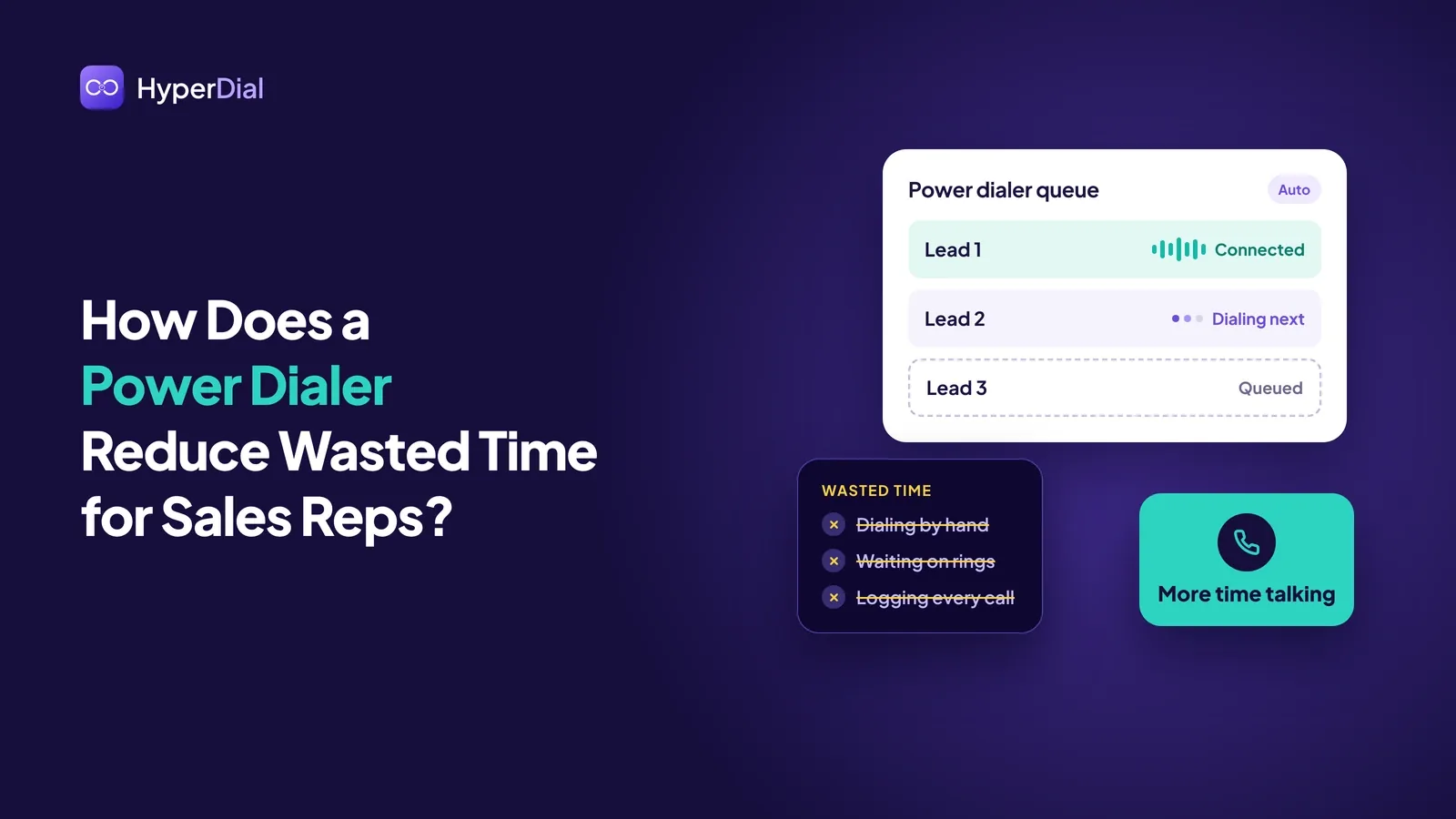
Most of a rep's calling time doesn't go on calls. It goes on the work around them. In Salesforce's State of Sales report, sales reps said they spend 70% of their time on non-selling tasks. The survey covered 5,500 sales professionals in 2024.
Manual dialing is a big part of that lost time. This guide shows where the minutes go, how a power dialer wins them back, and what that adds up to. If you're comparing dialer types, our guide on power dialer vs predictive dialer covers that choice.
Every fact in this guide links to its source. We last checked them on 20 November 2026.
Key takeaways
- Manual dialing wastes time between calls, not during them.
- A power dialer dials one number per rep, so a real person is always on the line.
- Voicemail drop and automatic logging save the most minutes after dialing itself.
- The rep stays in control, with time to prepare and a say in each outcome.
Where does a sales rep's calling time go?
A sales rep's calling time goes mostly on small steps between conversations. These include finding the next lead, typing the number, waiting, leaving voicemails and writing notes. Each step takes seconds, but they repeat on every single call.
Here's what one manual call looks like from start to finish:
- Pick the next lead. The rep scans a spreadsheet or CRM list and decides who to call.
- Find and type the number. The rep copies the number into a phone or app and dials.
- Wait for an answer. The phone rings, often with nobody picking up.
- Deal with voicemail. The rep listens to the greeting, then speaks a message.
- Log the call. The rep writes notes, picks an outcome and updates the CRM.
Only part of one step involves talking to a prospect. Most calls never reach a person at all, so the rep repeats steps 1 to 5 many times for every real conversation.
There's a hidden cost too. Switching between a spreadsheet, a phone and a CRM breaks a rep's focus. After a long run of unanswered calls, many reps start to slow down or put off the next dial.
What is a power dialer?
A power dialer is calling software that dials one number at a time for each rep. It moves to the next number as soon as a call ends. The rep is already connected when someone answers, so the person hears a real voice straight away.
That one-call-per-rep design is what makes a power dialer different from a predictive dialer. A predictive dialer calls several numbers at once and connects whoever answers to a free rep. That's faster on big cold lists, but it can leave people waiting in silence. Our guide on what a dialer is compares every type.
How does a power dialer cut each kind of wasted time?
A power dialer cuts wasted time by automating the five steps around each call, while the rep keeps the conversation. Here's how each step changes.
It removes typing and dialing
The rep loads a list once, usually from the CRM. After that, the dialer places every call. There's no copying numbers, no misdialed digits and no hunting through tabs. HyperDial places the next call as soon as the rep frees up, so there's no gap to fill.
It decides who to call next
The list sets the order, so reps don't stop to choose. Teams can sort the list by priority before the session, like hot leads first or a time zone that's just opened. That turns dozens of small decisions into one planning step.
It handles calls nobody answers
When nobody picks up, the dialer moves on. Retry rules then bring that lead back later, instead of the rep keeping a note to try again. HyperDial sets retries per campaign, so a call at a bad time of day doesn't count against the lead.
It leaves voicemails for you
Voicemail drop lets a rep record a message once and leave it with one click. The dialer plays the recording while the rep moves to the next call. A step that took close to a minute now takes a few seconds. HyperDial's outbound page says a no-answer costs seconds instead of a minute.
It logs calls in your CRM
Every call, outcome and recording goes into the CRM without retyping. The rep picks an outcome and adds a quick note, and the rest is filled in. HyperDial syncs with the CRM every 30 seconds, as its voice calling page explains. The outcome and notes land in the record before the rep's next call.
How much time can a power dialer save?
A power dialer can roughly halve the time a rep spends working through a call list. The exact saving depends on your answer rate and how long your manual steps take. Here's a worked example of how the minutes add up.
For this example, we assume a list of 100 numbers. Ten people answer and talk for 3 minutes. Thirty calls go to voicemail, and sixty ring out. These are example numbers, so swap in your own.
Table 1: Example time per step, by hand vs with a power dialer
| Step | By hand | Power dialer |
|---|---|---|
| Find the lead and dial | 30 sec | 0 sec |
| Ring with no answer | 25 sec | 25 sec |
| Leave a voicemail | 45 sec | 5 sec |
| Log a conversation | 60 sec | 15 sec |
| Log a no-answer or voicemail | 20 sec | 3 sec |
Add those steps up across all 100 calls, plus the ten conversations, and you get the totals below.
Table 2: Example totals for 100 calls
| Result | By hand | Power dialer |
|---|---|---|
| Time to finish 100 calls | About 3 hours | About 1 hour 20 min |
| Calls per hour | About 33 | About 77 |
| Conversations per hour | About 3 | About 8 |
The biggest savings come from dialing (about 50 minutes) and logging (about 33 minutes). Voicemail drop saves another 20 minutes. Ringing time doesn't change, because a power dialer still waits for each call to be answered. That's why a predictive dialer can go faster on very cold lists.
How do you set up a power dialer campaign?
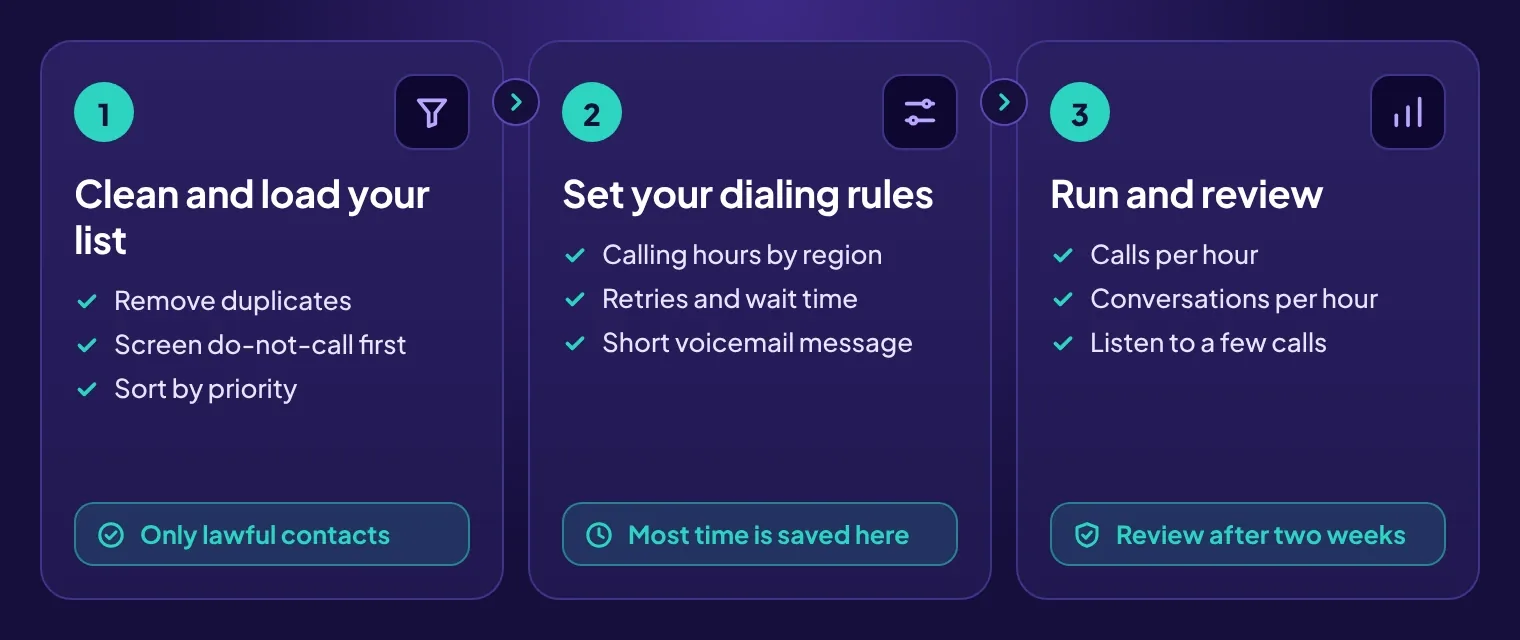
You can set up a power dialer campaign in three steps. Most of the time saving comes from getting step 2 right.
Step 1: Clean and load your list
Start with a list of people you have a lawful reason to call. Remove duplicates, wrong numbers and anyone who has asked not to be called. Then sort the list by priority and load it from your CRM.
Screen do-not-call lists before you dial, not after. HyperDial's SMS and calling policy says do-not-call registers are screened before a number is dialed.
Step 2: Set your dialing rules
Next, set the rules that run in the background. Choose your calling hours for each region, how many times to retry and how long to wait between tries. Record a voicemail message and pick the number your prospects will see.
This is where most teams go wrong. They skip retry rules, so reps chase callbacks by hand again. Or they record a long voicemail, so the drop saves less time than it should.
Step 3: Run the session, then review
Have reps run a full session, then look at the results. Check calls per hour, conversations per hour and meetings booked. Listen to a few calls to spot where reps lose time or stall.
Review again after two weeks. Small changes, like moving calling hours or shortening the voicemail, often save more time than calling faster.
How much control does the rep keep with a power dialer?
With a power dialer, the rep keeps full control of each conversation. The dialer handles the steps around the call, but a person always answers, talks and decides the outcome.
This is the main reason teams choose a power dialer over a predictive one. Because it dials one number per rep, nobody who answers hears silence or a dropped call. The rep also sees who they're calling before the person picks up, so they can glance at notes first.
Managers get control too. They can listen to calls, whisper tips that only the rep hears, or join the call. HyperDial offers all three, and in listen and whisper modes the prospect hears nothing, as its voice calling page explains. Its manager tools show how coaching fits into the day.
When is a power dialer most useful?
A power dialer is most useful when reps make many calls and each conversation matters. Use this guide to decide:
Choose a power dialer if your reps make many calls a day, your leads are warm, or each call is worth a careful first impression.
Choose a predictive dialer if you have a large team, a very long cold list and a low answer rate.
Choose a preview dialer if each call needs real research first, like big B2B deals.
Choose both if you run different campaigns, like predictive for cold lists and power for follow-ups.
Here's how that looks for common teams:
- SDR and BDR teams: power dialer, because reps need context and quality matters.
- Follow-up and renewal calls: power dialer, because most leads expect the call.
- Real estate and insurance agents: power dialer, because calls are often personal.
- Large cold-calling floors: predictive dialer, with a strict limit on dropped calls.
How does HyperDial run power dialing?
HyperDial includes a power dialer in the same system as your numbers, routing and reports. These details come from its voice calling page and outbound page:
- Power dialing: one call per rep, placed as soon as that rep frees up.
- Predictive pacing: available per campaign, set from the campaign's real connect rate.
- Voicemail drop: leaves the recorded message, then moves to the next number.
- Retry rules: set per campaign, so a bad time of day doesn't count against the lead.
- Local presence: calls come from a number that matches the region you're calling.
- CRM sync: two-way sync every 30 seconds with CRMs such as Salesforce, HubSpot and Zoho CRM, listed on the integrations page.
- Live coaching: listen, whisper or join, plus live prompts drawn from your own won calls.
Reps only need a browser and a headset. Calling windows and quiet hours are set per campaign and region. Under HyperDial's SMS and calling policy, a campaign that would dial outside its window waits instead.
There's an honest limit to know. HyperDial's outbound page says spam flagging is a real risk on any dialer. A power dialer saves time, but number reputation still depends on sensible pacing, local numbers and rotating numbers.
What should you do next?
Time one of your reps for an hour of manual calling. Note how long they spend dialing, on voicemails and on notes, then compare it with our example. If those steps take more than half the hour, a power dialer will pay off quickly. To start, see HyperDial's outbound calling, compare plans on the pricing page or try HyperDial free.
Sources


