
How to Manage Callbacks When Every Agent is Busy
A callback is a promise, and this guide shows you how to keep it even when every agent is busy.
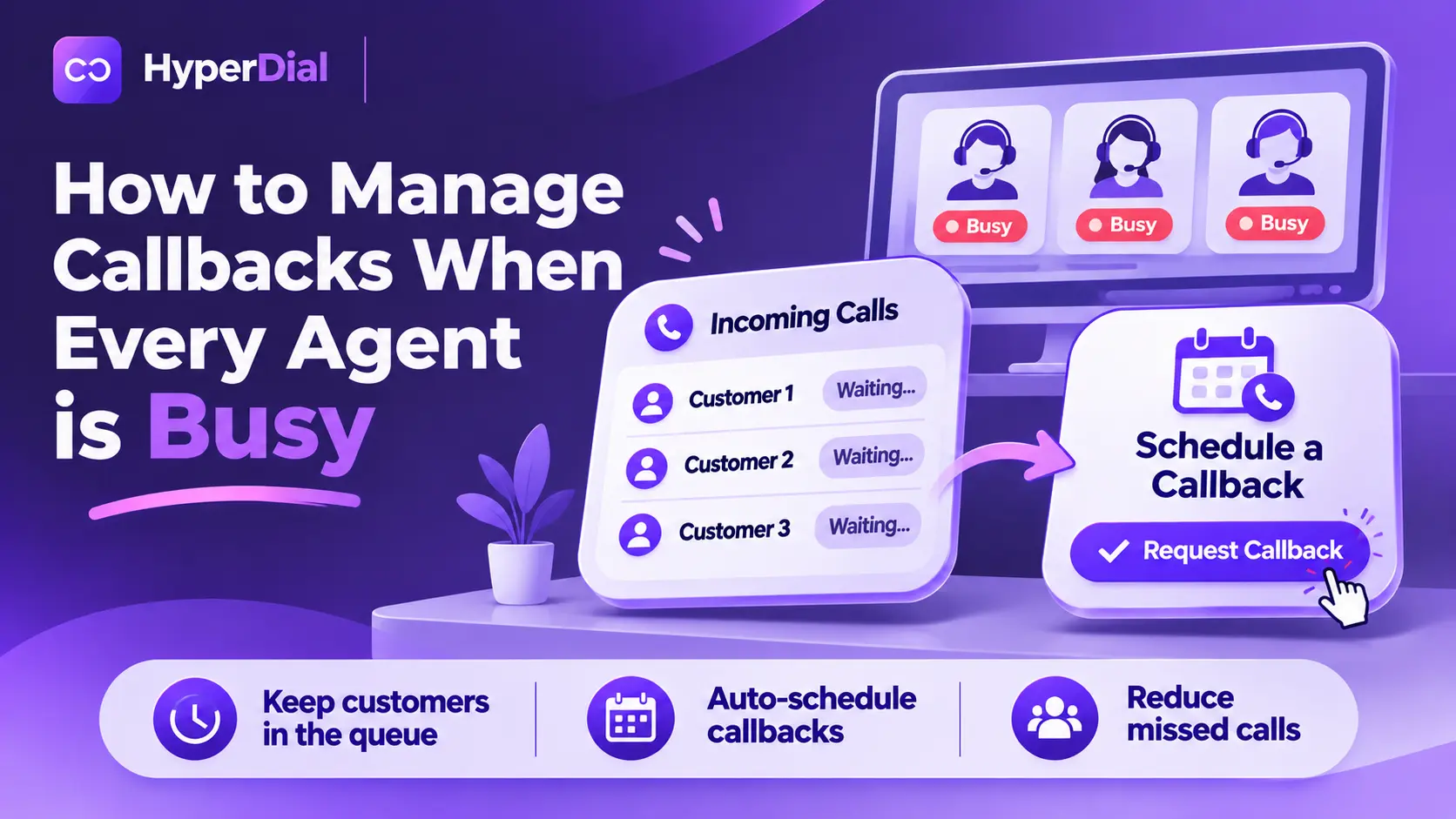
Most teams switch callbacks on and stop there. The trouble starts later: callbacks that arrive hours late, and callers who answer and then wait again. Requests also sit unowned at the end of the day. This guide covers how callbacks work, why they fail, and how to set them up so the promise you make is one you can keep.
Every fact in this guide links to its source, and we last checked them on 12 November 2026.
Key takeaways
- A callback is a promise, so its value depends on returning the call within the time you quoted.
- The returned call should never queue again. An agent should be ready before, or the moment, the customer answers.
- Every callback needs an owner, especially when the customer doesn't answer or the day ends.
- Callbacks don't create agent time. They move waiting off the phone line, but staffing still decides how fast you return them.
How does a callback work when every agent is busy?
A callback lets a caller leave the hold line without losing their turn. The system saves their number and their place in the queue, then calls them back when an agent is free. From the caller's side, the wait still happens, but they spend it doing something else instead of listening to hold music.
Behind the scenes, a typical queue callback runs in four stages:
- The offer. Your system tells the caller that all agents are busy, along with an expected wait and the option to be called back. This is the moment the caller decides whether to trust you with their time.
- The request. If they accept, the caller confirms the number to call and hangs up. Their place in the queue is kept as a virtual position, so they don't lose their turn.
- The return call. When their turn comes up, the system dials the caller, either before or after connecting an agent. Which order you choose decides whether the customer ever waits a second time.
- The conversation. Once the caller answers, they speak to an agent, ideally one who already sees why they called. A good callback ends here, with the issue solved on the return call.
Each stage can fail on its own, which is why it helps to manage them separately. A callback that's offered well but returned late is still a broken promise.
Which types of callback are there?
Callbacks differ mainly in who triggers them and when they happen. Most teams use more than one type. This table compares the common ones:
Table 1: Types of callback compared
| Callback type | What triggers it | Best for | Watch out for |
|---|---|---|---|
| Queue callback | Caller's turn comes up | Busy periods, short waits | Late returns at peak |
| Scheduled callback | A time the caller picks | Busy customers, sales follow-ups | Missed slots |
| Automatic return call | The system dials when an agent is free | High volume | Caller answers, no agent ready |
| Manual return call | An agent dials from a list | Small teams, complex cases | Requests forgotten on busy days |
| Missed-call callback | Caller hung up without asking | Recovering lost leads | Calling people who solved it |
The automatic and manual types describe who dials, so they combine with the others. A queue callback can be returned automatically by the system or manually from a list.
Why do callbacks fail even when customers want them?
Callbacks fail when the promise made at the start isn't kept at the end. Customers rarely complain about the idea of a callback. What frustrates them is how it's run. These are the five failures we see most often.
The caller has to wait a second time
The worst callback experience is answering the phone and hearing hold music. Having already waited once, the customer feels a second queue feels like the business forgot them. It usually happens when the system dials the customer first, then looks for a free agent.
Fix this by connecting an agent before or as the customer answers, and by giving returned calls priority over new calls in the queue. The customer has already earned their turn, so they shouldn't lose it on the return trip.
The callback arrives late, or never
A callback promised in fifteen minutes that arrives in two hours does more damage than the original wait. It usually means the team accepted more callbacks than it could return, often during an unexpected spike. Callbacks move waiting off the phone line, but they don't add agents.
Fix this by quoting a range based on live queue conditions, not a fixed promise. When the queue grows past what you can return today, stop offering same-day callbacks and offer a scheduled time instead.
Nobody owns the request
A callback request is a piece of work, like a support ticket. If it sits in a shared list with no owner, it's easy for everyone to assume someone else will handle it. That's how requests survive past the end of a shift.
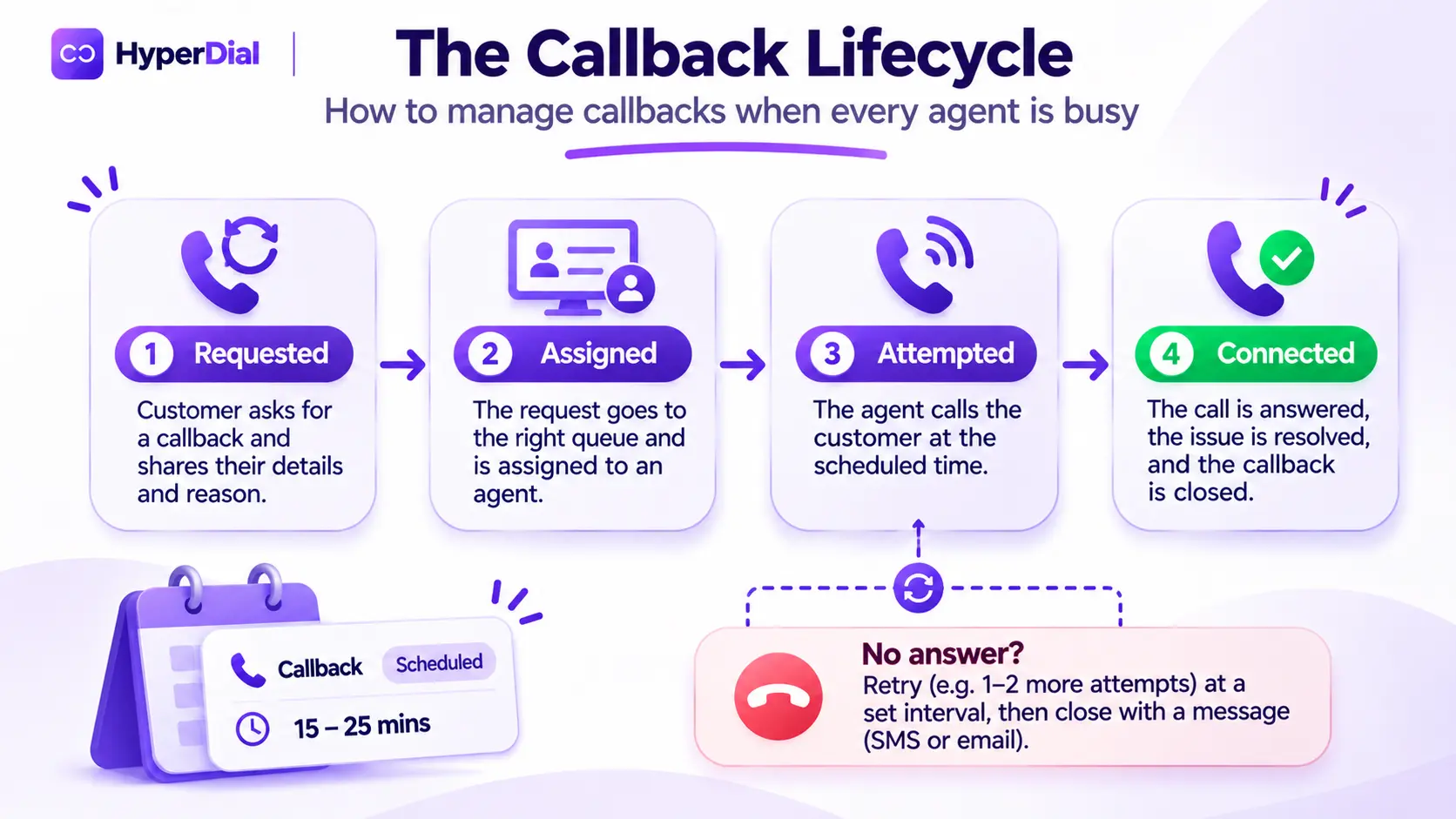
Fix this by tracking each request through clear stages: requested, assigned, attempted and connected. A request that's been accepted isn't finished until a conversation has actually happened.
The customer doesn't answer
Some customers miss the return call because they're busy, driving, or don't recognize the number. Without a plan, the request either disappears or gets dialed again and again. Both outcomes waste agent time and annoy the customer.
Fix this by deciding in advance how many attempts you'll make, how far apart, and what message you'll leave. Call back from a number the customer recognizes, ideally the same number they dialed.
The customer has to explain everything again
If the agent calling back doesn't know why the customer called, the conversation starts from zero. That undoes most of the goodwill the callback earned. It's common when the callback system doesn't pass details into the CRM or helpdesk.
Fix this by saving the caller's reason and account details with the request, and showing them to the agent before the call connects. The first sentence from the agent should prove they already know the issue.
How do you manage callbacks when every agent is busy?
You manage callbacks by deciding when to offer them, setting honest expectations, and returning each call with priority and a clear owner. Most callback problems come from skipping one of these. Follow these three steps.
Step 1: Decide when and where to offer a callback
The right moment to offer a callback is when the expected wait passes the time you aim to answer calls in. Offer it too early, and callers who'd have been answered in a minute take up return-call slots. Leave it too late, and many callers have already hung up.
Place the offer after the caller has identified themselves and chosen a reason for calling. That way, the request already carries their account and their issue, and it lands in the right queue. If a short menu can solve simple questions, let it try first, so callbacks are saved for problems that need a person.
Set the rule per queue, not once for the whole company. A sales queue might offer callbacks sooner than a support queue, because a sales caller who hangs up may not try again. High-priority callers, such as renewals, may skip the offer entirely and go straight to the next free agent.
Step 2: Tell callers what to expect, then keep the promise
Callers accept a wait more easily when they know how long it will be and why. David Maister's research on the psychology of waiting lines, published in 1985, describes the same effect. Uncertain waits feel longer than known, finite waits, and unexplained waits feel longer than explained ones.
Quote a range rather than an exact time, because no system can promise the precise minute. A range like "within 15 to 25 minutes" sets a realistic expectation, and returning the call inside it feels like a kept promise. Here's sample wording that works for most queues:
"All our agents are helping other customers right now. Your expected wait is about 12 minutes. To keep your place without staying on the line, press 1, and we'll call you back on this number within 15 to 25 minutes."
Base the numbers on live queue conditions, and update the message as the queue changes. A recorded message that always says "a few minutes" becomes a broken promise on the busiest day of the month.
Step 3: Return calls with priority, and own every request to the end
Returned calls should reach an agent within seconds of the customer answering. The simplest way is to give them priority over new calls in the queue, so the next free agent takes the returned call first. That way, the customer keeps the place they earned, and nobody waits twice.
Next, assign every request an owner. Decide how many attempts you'll make if the customer doesn't answer, how far apart they'll be, and what message you'll leave. After the final attempt, close the request with a note, and send a text or email if you have permission to.
The mistake we see most happens at this step: treating an attempted callback as a completed one. A dialed call that nobody answered still leaves a customer with an unsolved problem. Count a callback as done only when a conversation has happened, or when the customer has been told how to reach you.
What should happen to callbacks at the end of the day?
Callbacks at the end of the day should either be returned before the team leaves or moved to a clearly scheduled time the customer agreed to. The worst outcome is a list of promises that nobody sees until the next morning.
Start by working backwards from closing time. If your team can return a callback in about twenty minutes, stop offering same-day callbacks some time before close. After that point, offer the caller a scheduled slot the next working day instead, so the promise still matches what you can deliver.
Any requests still open at close need a named owner and a plan. Either a late shift returns them, or they move to the top of the next morning's list with a message to the customer. Calls that arrive after hours should follow your after-hours route, such as voicemail, a booking option or an after-hours team. Our guide on handling business calls after hours covers those options.
When are callbacks the wrong answer?
Callbacks are the wrong answer when they hide a deeper problem, or when the caller needs help right now. They work best for short-term spikes, not as a permanent substitute for enough agents. These are the situations where something else works better:
- Constant understaffing. If the queue is long every day, callbacks just move the backlog somewhere less visible. Fix staffing for your busiest hours first.
- Urgent issues. A caller reporting an outage or a security problem shouldn't be asked to wait for a call. Route those calls to priority handling instead.
- Very short waits. If most callers are answered within a minute or two, a callback adds steps without saving anyone time.
- Callers who can't take a call later. Some customers will be driving, in meetings or unreachable. A scheduled time or another channel suits them better.
- Problems a menu or message can solve. Order tracking or opening hours shouldn't use an agent's return call at all.
If any of these describe most of your callbacks, review your staffing and routing before adding more callback capacity. Our guide on reducing call abandonment shows how staffing, wait-time messages and callbacks fit together.
How do you measure callback performance?
You measure callback performance by tracking each request from offer to conversation, not just counting how many were made. A high number of callbacks can mean the queue is healthy or badly overloaded, so the stages matter more than the total. This table shows the metrics worth tracking:
Table 2: Callback metrics and what a bad number means
| Metric | What it measures | A bad number usually means |
|---|---|---|
| Acceptance rate | Callers who choose a callback | Offer comes too late or sounds vague |
| Return time vs promise | Callbacks returned inside the quoted range | Promises don't match capacity |
| Connect rate | Return calls the customer answers | Unknown number or poor timing |
| Second-wait time | Wait after the customer answers | Returned calls lack priority |
| Open at close | Requests still pending at day end | No owner or end-of-day rule |
| Resolved on callback | Issues solved on the return call | Agent lacks context or skills |
Keep each stage as its own count: requested, assigned, attempted and connected. If you only track requests, a day full of unanswered attempts looks the same as a day of solved problems. Our guide on how to track unanswered calls explains how to separate missed, abandoned and unanswered calls.
How does HyperDial handle callbacks when agents are busy?
HyperDial lets callers hold their place in the queue and get called back, instead of waiting on the line. Callbacks sit inside the same routing rules as the rest of your calls, as described on HyperDial's call routing page:
- Queue callbacks: callers keep their place and get called back instead of listening to hold music.
- Overflow that names a destination: when no agent is free, calls go to overflow, a callback or the after-hours path, and are never silently dropped.
- Priority callers: renewals and high-intent callers don't wait behind everyone else.
- Hours and holidays: set per queue and per region, so the callback offer follows your real opening hours.
- Returning callers: a returning caller reaches the person who handled them last, where that helps.
For nights, weekends and spikes after a campaign, HyperDial's AI agents answer the overflow under the same routing rules. On the support solution page, the agent is described as booking callbacks, sending documents and confirming details. When a call gets complex, it hands over to a rep with the transcript.
Call outcomes and transcripts are written to tools like Salesforce, HubSpot, Freshdesk and Zendesk through HyperDial's integrations. As a result, the agent calling back can see why the customer called.
One honest limit: HyperDial's public pages don't describe retry settings, scheduled callback windows or estimated-wait announcements in detail. If those matter to your team, confirm how they work before you set up your queues.
What should you do next?
Look at yesterday's callbacks and count how many were requested, attempted and actually connected. Then check how many were returned within the time you quoted, and how many were still open at close. Those three numbers show where your callback process is breaking. To see how callbacks work in HyperDial, explore call routing or try HyperDial free.
Sources


