
Free business apps: 10 tools small businesses can use for $0
The best free business apps cover the basics every small business needs: calls, customer messages, a CRM, payments, invoices, tasks and simple design. Each one below has a free plan you can keep using, but every free plan has a limit, so it helps to know where yours stops before you build your business on it.
What are free business apps?
Free business app are software tools a business can use at no monthly cost, usually through a free plan that has fewer features or a usage limit. Most work on a phone and a computer, so you can run your business from anywhere.
Most "free" apps follow a freemium model. You get the core tool for free, and you pay when you need more users, more storage or extra features. That's a good deal for a new business, as long as you know which limit you'll hit first.
Which free business apps are worth using?
The free business applications below each cover one job a small business can't skip. Each row shows what the app is for and the main limit on its free plan, as listed on each app's pricing page in October 2026.
| App | What it's for | Main free plan limit |
|---|---|---|
| HyperDial | Business calls | Numbers and minutes cost extra |
| WhatsApp Business | Customer messages | One business on the app |
| Zoom | Video meetings | 40 minutes per meeting |
| HubSpot CRM | Contacts and deals | 2 users, 1,000 contacts |
| Zoho CRM | Contacts and follow-ups | 3 users |
| Square | Card payments | Fee on each payment |
| Wave | Invoices and bookkeeping | Fee on card payments |
| Trello | Tasks and projects | 10 boards, 10 collaborators |
| Canva | Social posts and flyers | Some templates and tools are Pro only |
| Zapier | Connecting apps | 100 tasks a month |
How did we choose these apps?
We picked apps that a small business can use for real work on the free plan, not just as a short trial. Each app had to meet four rules:
- Free with no end date. No 14-day or 30-day trials.
- Useful on the free plan alone. The free version has to do the main job
- Works on a phone. Small business owners are rarely at a desk all day.
- Has a clear upgrade path. When you grow, you can pay for more without switching apps.
HyperDial is our own product. We included it because its Base plan is free, and we say below exactly what still costs money.
What is the best free app for business calls?
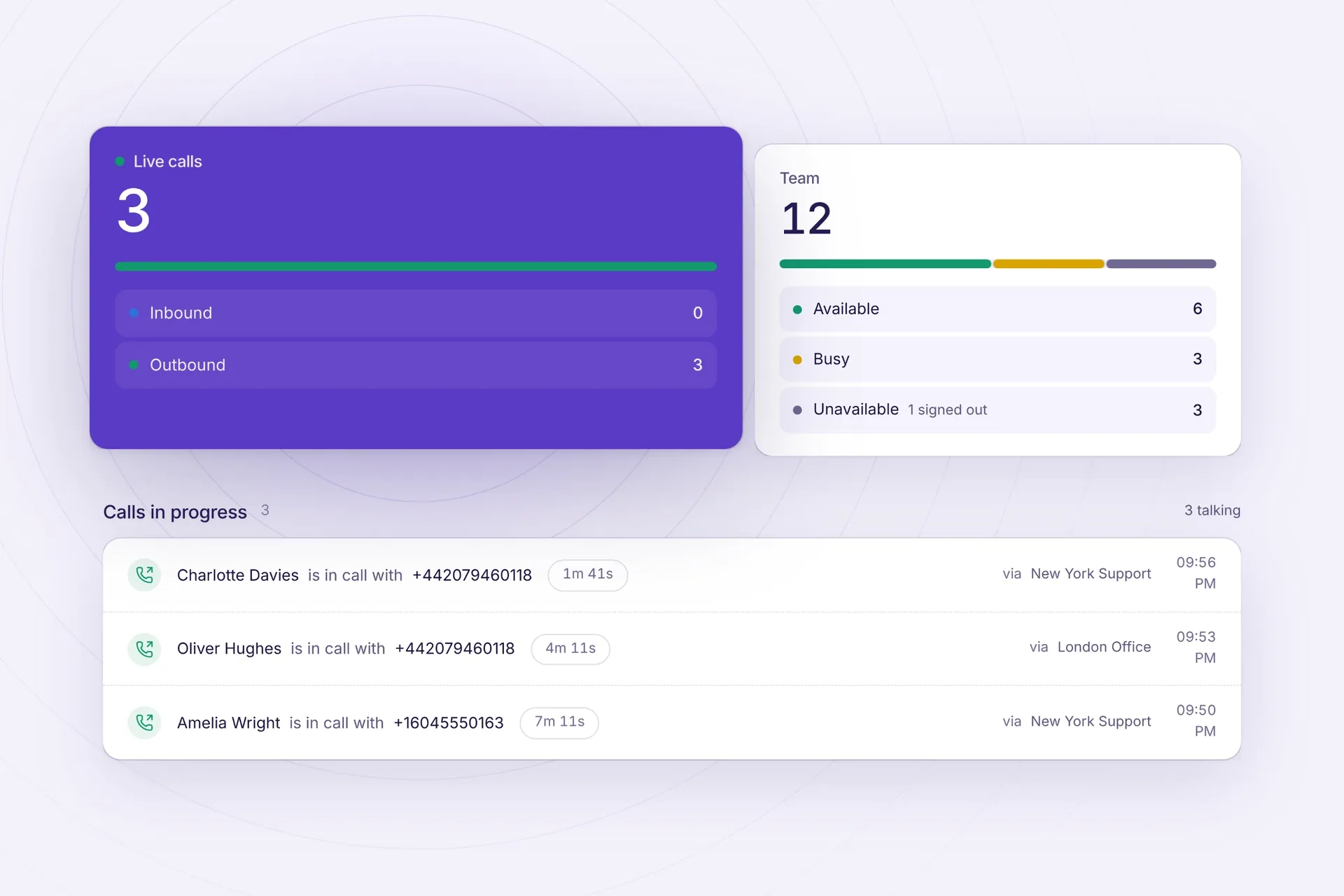
HyperDial is a business phone app with a free Base plan, so you can give your business its own number and answer calls on a laptop or phone instead of your personal mobile. HyperDial's Base plan costs $0, has no end date and allows unlimited users.
What you get for free: voicemail on every number, business hours with after-hours routing, call forwarding, ring-all-devices, call recording, custom greetings, a phone menu (IVR), a call queue and standard reports.
What still costs money: the phone numbers and the minutes you use. HyperDial bills both at cost. You can pick a local phone number so you look like a nearby business, or a toll-free number so customers call you for free.
Choose HyperDial if you want a separate business line, several people answering the same number, or calls that ring on every device at once. If you're new to business numbers, our guide on how to get a virtual phone number walks through the steps.
What free app can you use to message customers?
WhatsApp Business is a free app for sending and answering customer messages from a separate business profile. It's free to download on iPhone and Android.
What you get for free: a business profile with your hours and details, a way to show your products, and replies when you're away.
Where it stops: the app is built for one business on one phone. When several people need to answer the same messages, or you want messages next to your calls, you move to a shared inbox. HyperDial's SMS and WhatsApp messaging keeps messages on the same contact thread as calls.
Choose WhatsApp Business if your customers already message you on WhatsApp and one person handles replies.
What is the best free app for video meetings?
Zoom's free Basic plan lets you hold video meetings with up to 100 people. Each meeting can last up to 40 minutes, according to Zoom's pricing page.
Where it stops: meetings end at 40 minutes, recordings save only to your computer, and AI meeting summaries are limited to 3 meetings a month.
Choose Zoom if your meetings with clients are short check-ins or sales calls under 40 minutes.
What is the best free CRM for a small business?
A CRM (customer relationship management) app keeps every customer's contact details, deals and follow-ups in one place. HubSpot and Zoho both have free CRMs that small teams can use for a long time.
Is HubSpot CRM free?
Yes. HubSpot's free CRM has no end date and includes up to two users and 1,000 contacts. You get contact and deal tracking, email tracking, meeting scheduling, live chat and a reporting dashboard.
Choose HubSpot if you're a team of one or two and want a simple sales pipeline that's easy to learn.
Is Zoho CRM free?
Yes. Zoho CRM's free edition is free forever for up to three users. It includes contact management, follow-up reminders, workflow automation, standard reports and mobile apps.
Choose Zoho CRM if you have three people and want automatic follow-up reminders.
Both CRMs connect with HyperDial, so calls are logged to the right contact automatically. See the full list of HyperDial integrations.
What free app can take card payments?
Square is a point-of-sale app with no monthly fee on its Free plan. You pay only when you take a payment. As of October 2026, Square's US pricing lists 2.6% + 15¢ for in-person card payments and 3.3% + 30¢ for online payments and invoices.
Choose Square if you sell in person at a shop, market or event and want to take cards on your phone.
What free app can you use to send invoices?
Wave is a free accounting app that lets you send unlimited invoices and estimates and keep simple books. Its Starter plan costs $0, according to Wave's pricing page.
Where it stops: customers paying an invoice by card cost you 2.9% + 60¢ per payment, and automatic bank imports need the paid Pro plan.
Choose Wave if you send invoices to clients and want basic bookkeeping without paying for accounting software.
What free app helps you keep track of tasks?
Trello is a free task board where you move cards through columns like "To do," "Doing" and "Done." Trello's Free plan allows up to 10 collaborators and 10 boards per workspace, with unlimited cards.
Choose Trello if a small team needs to see who's doing what without a complicated project tool.
What free app can you use for social posts and flyers?
Canva is a free design app with ready-made templates for social posts, flyers, menus and presentations. Its free plan, Canva Free, includes over 1.6 million templates and 5GB of cloud storage.
Where it stops: bulk design, social post scheduling, print-ready CMYK files and some premium templates are only on Canva Pro.
Choose Canva if you make your own social posts and don't have a designer.
How can free apps work together?
Zapier connects your apps so one action starts another, like adding a new form entry to your CRM. Zapier's Free plan includes 100 tasks a month and two-step Zaps (one trigger, one action).
Choose Zapier if you copy the same information between two apps by hand every week. HyperDial also connects with Zapier, so you can send call details to other apps. See HyperDial integrations for the list.
Are free business apps really free?
These business apps are free to use, but many still cost money in other ways. The free plan is usually a starting point, not the whole product.
Here are the costs to watch for on a free plan:
- Payment fees: Square and Wave charge a percentage of each card payment.
- Phone numbers and minutes: a free phone app still needs a number, and calls use minutes.
- User limits: HubSpot allows 2 users and Zoho allows 3 before you pay.
- Usage caps: Zapier stops at 100 tasks a month and Zoom at 40 minutes per meeting.
- Locked features: some templates, reports and automations are only on paid plans.
When should you upgrade to a paid plan?
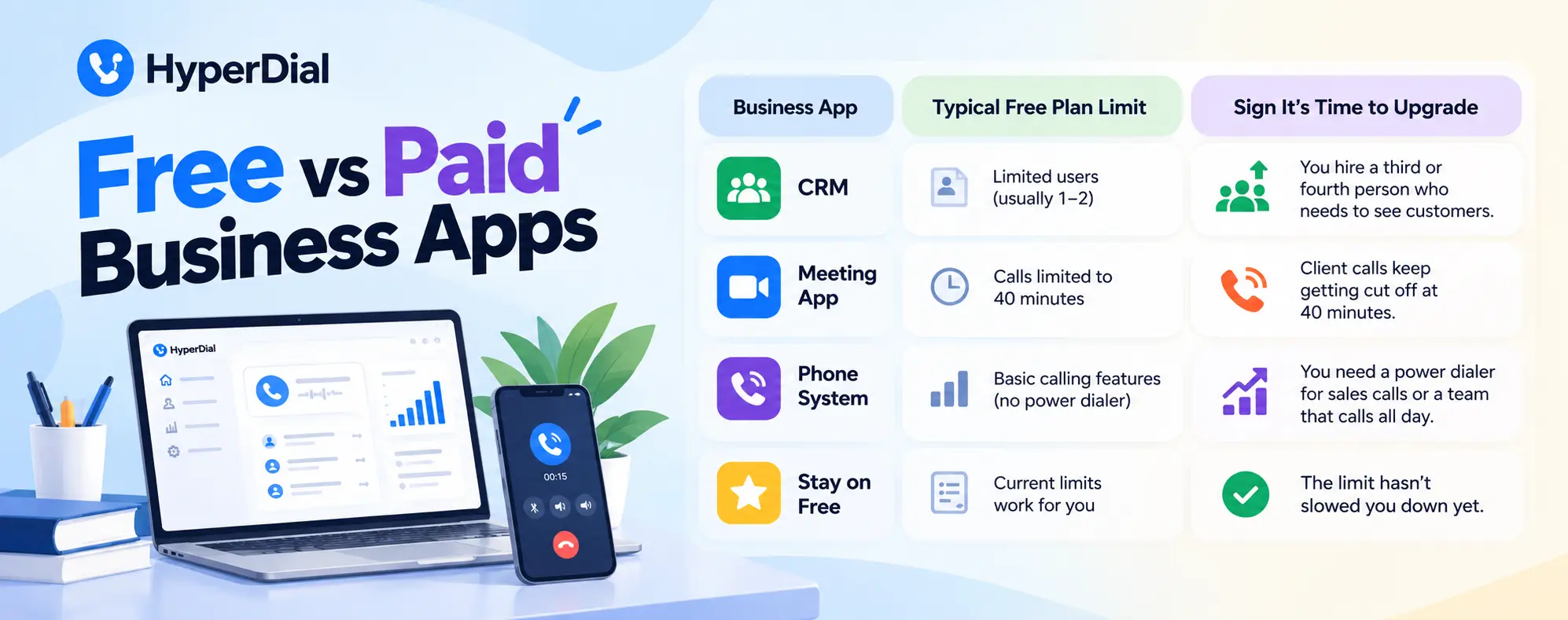
You should upgrade when a free plan's limit starts costing you time or customers. Use this simple guide:
- Upgrade your CRM if you hire a third or fourth person who needs to see customers.
- Upgrade your meeting app if client calls keep getting cut off at 40 minutes.
- Upgrade your phone system if you need a power dialer for sales calls or a team that calls all day. You can compare plans on HyperDial's pricing page.
- Stay on free if the limit hasn't slowed you down yet.
What should you set up first?
Start with the two apps that bring customers to you: a business phone line and a way to message customers. Add a free CRM once you have more contacts than you can remember, then payments and invoicing. To get your business line, try HyperDial free on the Base plan and pay only for your number and minutes.
Sources
- WhatsApp Business app
- Zoom pricing
- HubSpot CRM
- Zoho CRM pricing
- Square US pricing
- Wave pricing
- Trello pricing
- Canva pricing
- Zapier pricing
Last updated October 2026. Free plan limits and fees checked on each app's pricing page on 14 October 2026. HyperDial is our product.


